In September, Dino-GSP received a major update spanning authoring, lesson preparation, and classroom use.
The previous release established a foundation for expressing solid geometry. This time, the focus is on creating and using that content more efficiently: solid objects can be transformed interactively, dedicated tools cover spatial angles, midpoints, and intersection lines, and the 3D canvas now has a complete default-style system.
A new resource library also brings questions, interactive diagrams, animated demonstrations, answers, and explanations into one searchable, collectable place. Teachers can create new classroom resources from a question screenshot or a description of what they need.
Frequently used workflows—including canvas bounds, segment diagrams, annotations, and the selection of overlapping objects—have also been refined. The goal is to make every geometry figure smoother to create, adjust, explain, and reuse.

A better way to author solid geometry
Practical teaching content raises many questions. Can an object move and transform naturally? Can an angle in space be marked precisely? Can the intersection of a section and a solid be constructed quickly? Are point coordinates visible while a figure is adjusted? Can different objects keep a consistent visual style?
This release systematically improves 3D authoring around those everyday needs.
Interactive 3D transformations with live previews
The existing 3D transformation capability is now an interactive tool. Drag a solid object and see the result immediately, whether you are repositioning it in space or comparing spatial relationships before and after a transformation.
In class, a teacher can transform a figure continuously and ask students which properties change and which relationships remain invariant. During lesson preparation, there is no need to repeatedly enter parameters, confirm a result, and return to the canvas. A spatial relationship becomes a process that can be manipulated and observed rather than a static outcome.
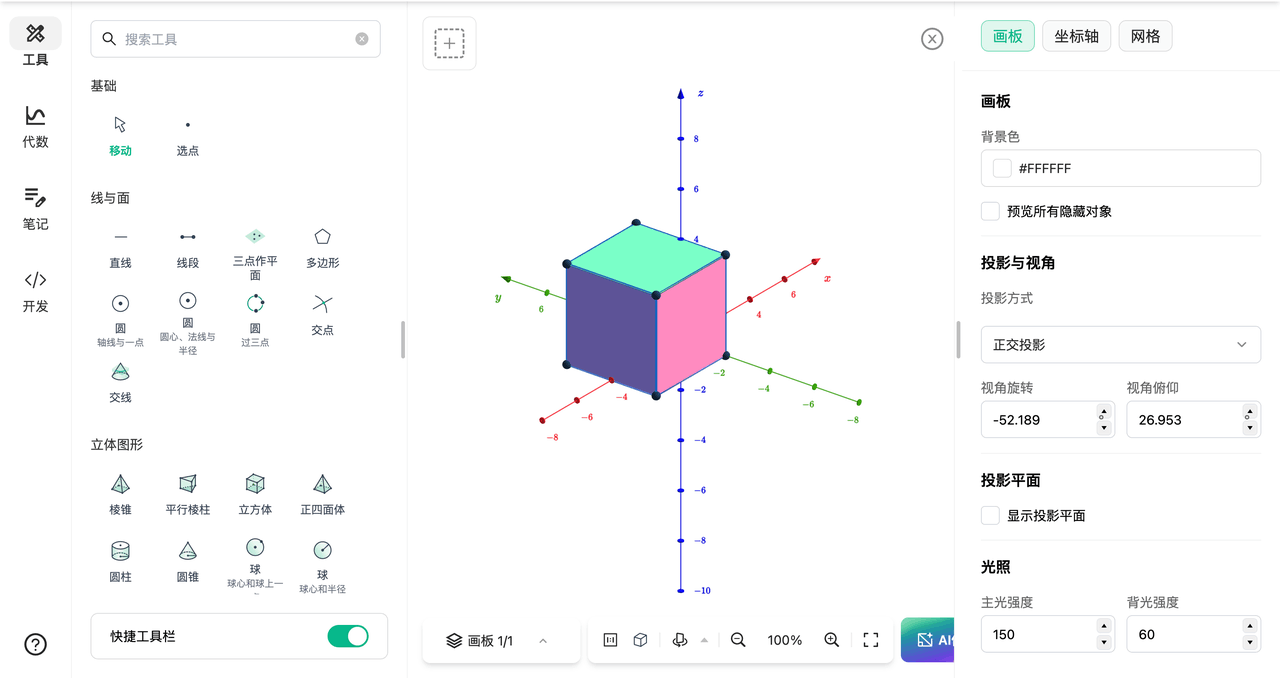
A complete default-style system for the 3D canvas
When a figure contains points, lines, planes, text, buttons, and sliders, styling every object separately takes time and produces inconsistencies among diagrams.
The master and default-style system now extends to the 3D canvas and covers all of these common objects. Define frequently used styles in advance so that each newly created object follows your teaching or content standard automatically.
Style search is new as well, making a long list of properties easier to navigate. For teachers and curriculum teams producing courseware, handouts, or a series of lessons, one visual standard can now be reused with less repetitive adjustment.
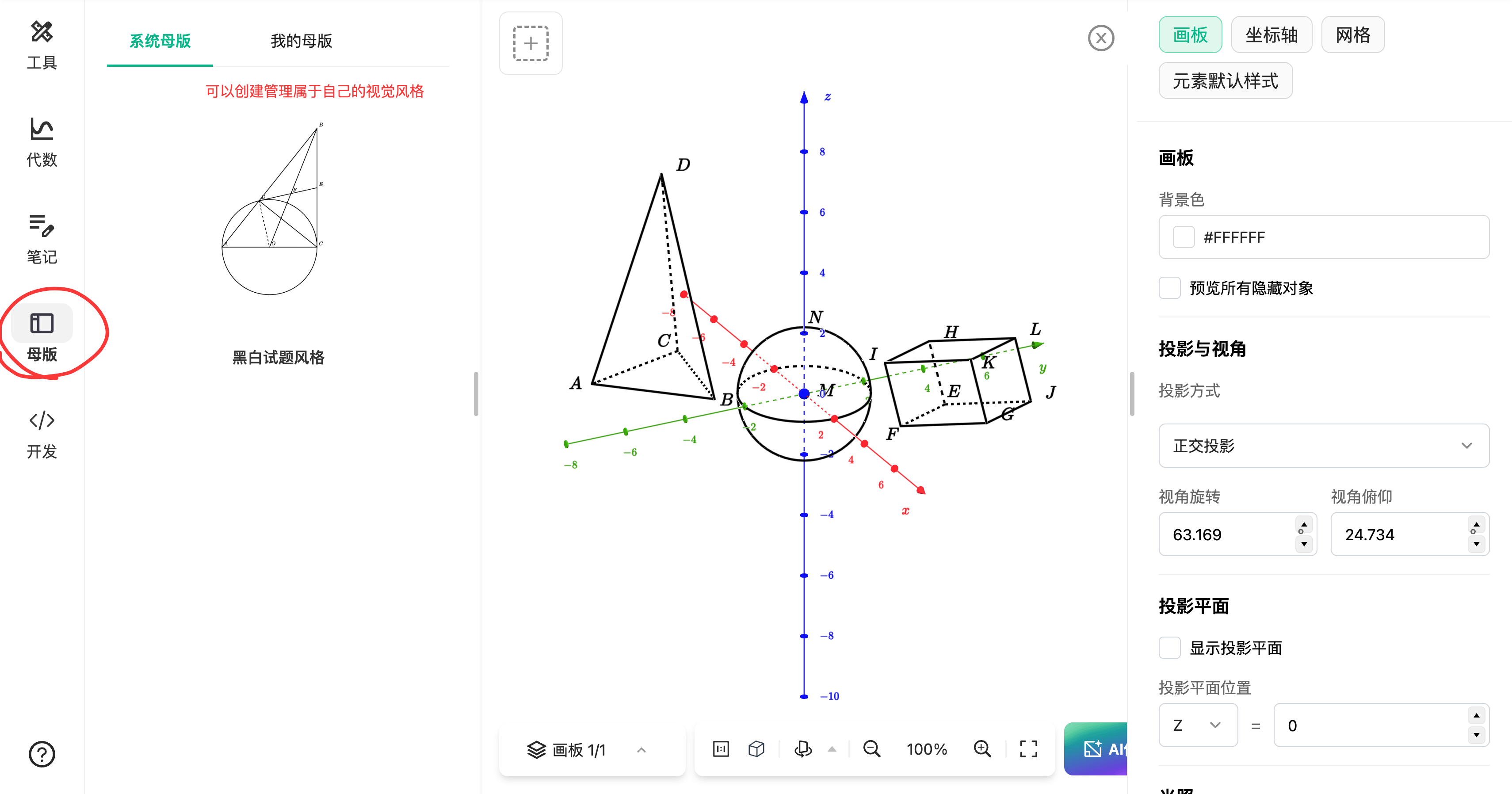
A new resource library makes good content easier to find and reuse
Teachers often have plenty of resources, but those resources are scattered across messages, folders, question banks, and old courseware. When something is needed, it can be difficult to find or assess, so the same material gets built again.
The new Dino-GSP resource library brings together questions, interactive diagrams, animated demonstrations, answers, and explanations. Browse by category, search by keyword, or save useful material for lesson preparation and classroom presentation.
This is more than an image library. A resource may pair a question with its solution and include an operable diagram or animated process for presentation. Teachers can use it directly or adapt it to a new context.

Generate a classroom resource from a question or a request
When the library does not yet contain an exact match, upload a question or textbook screenshot, or describe a teaching need, to create a new resource. For example:
- Turn a solid-geometry problem into an interactive classroom diagram
- Extract a question from a textbook screenshot and add an animated demonstration
- Request “show how a triangular pyramid's cross-section changes”
- Produce variants of a related question with different conditions or difficulty
This reduces duplicate work and lets teachers turn an instructional idea into usable content without first mastering a complex tool.
The library supports discovery and retention, while generation fills individual needs. Together they turn one-off figures into teaching assets that can be found, edited, saved, and reused.

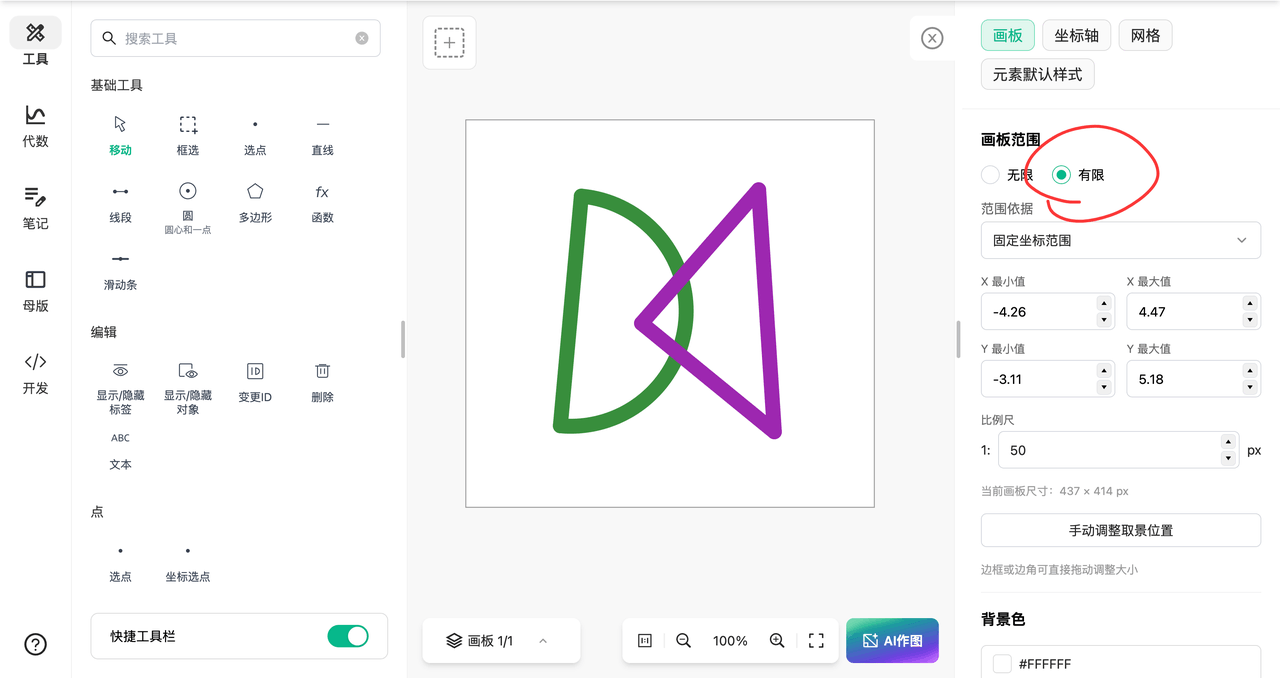
Custom canvas bounds provide more control over composition
Different geometry content needs different framing. A function plot may need a wider horizontal view, a solid-geometry demonstration needs room for rotation and labels, and a segment diagram benefits from a compact landscape composition.
Canvas view bounds can now be set precisely for a diagram, demonstration, or export. The initial bounds and reset-view experience have also been improved.
- Establish the final composition early and reduce cropping before export
- Focus a function or coordinate-geometry lesson on the interval being discussed
- Leave room for rotation, labels, and supporting notes in a 3D demonstration
- Return naturally to the intended view after an accidental pan or zoom
Instead of making content conform to a fixed viewport, the viewport can now serve the content.
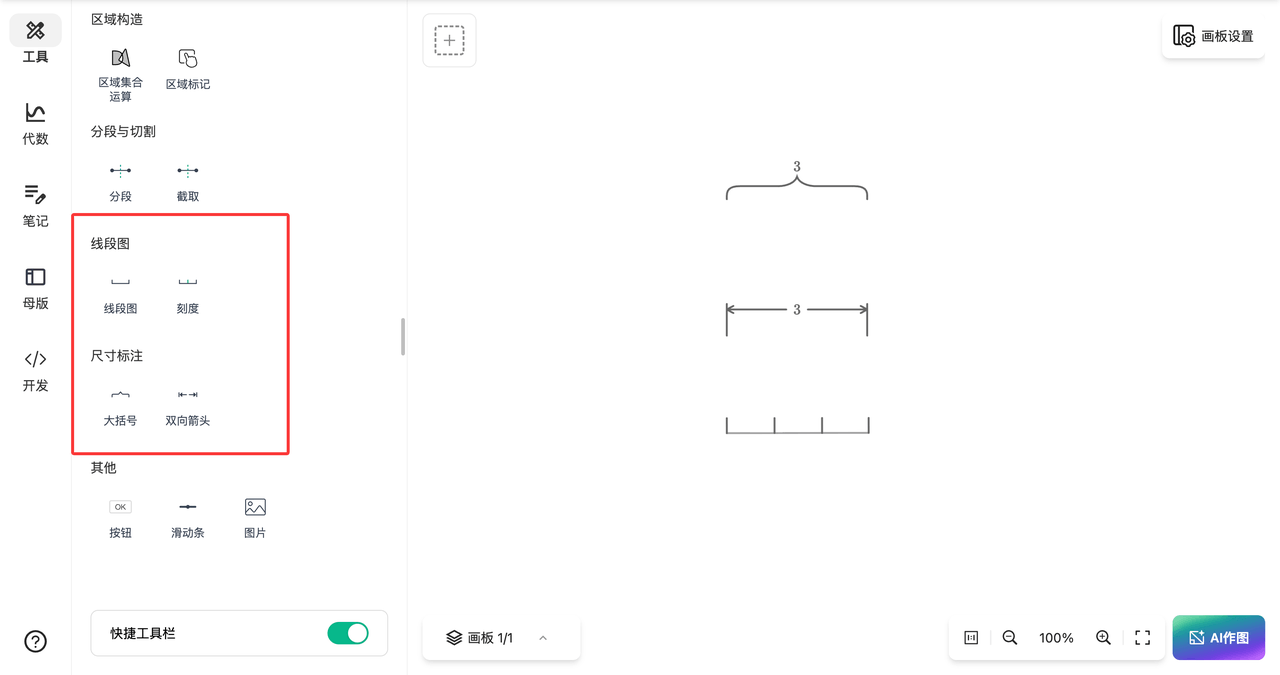
Segment diagrams and annotations fit everyday teaching better
Segment diagrams are common in elementary mathematics, quantitative relationships, travel problems, and word-problem explanations. They look simple, but endpoints, tick marks, braces, and text often need repeated adjustment.
The segment-diagram tool no longer creates endpoints automatically, and the tick marks at both ends can be dragged freely. Creators can decide how a segment ends and where each mark belongs based on the problem instead of removing or working around default objects.
Brace annotations and double-arrow annotations are now separate tools, each with its own configurable default style. Choose the clearer expression for a total length, a comparison between distances, or another quantitative relationship.
Annotation heights are now consistent, and creating and dragging braces and double arrows is smoother. Multiple annotations align more neatly and remain easier to edit. The tool provides structure, while the problem and teaching intent determine the expression.
Stronger transformations, batch construction, and complex editing
Freely movable objects, curves, and closed regions can now use transformation tools. More object types can participate in translation and rotation, making a group of figures easier to adjust and reuse.
A new child-object mechanism strengthens style inheritance, hit selection, highlighting, and editing between parent and child objects. In a complex figure built from dependencies, it is clearer which object is selected, which one is being changed, and how its style follows the structure.
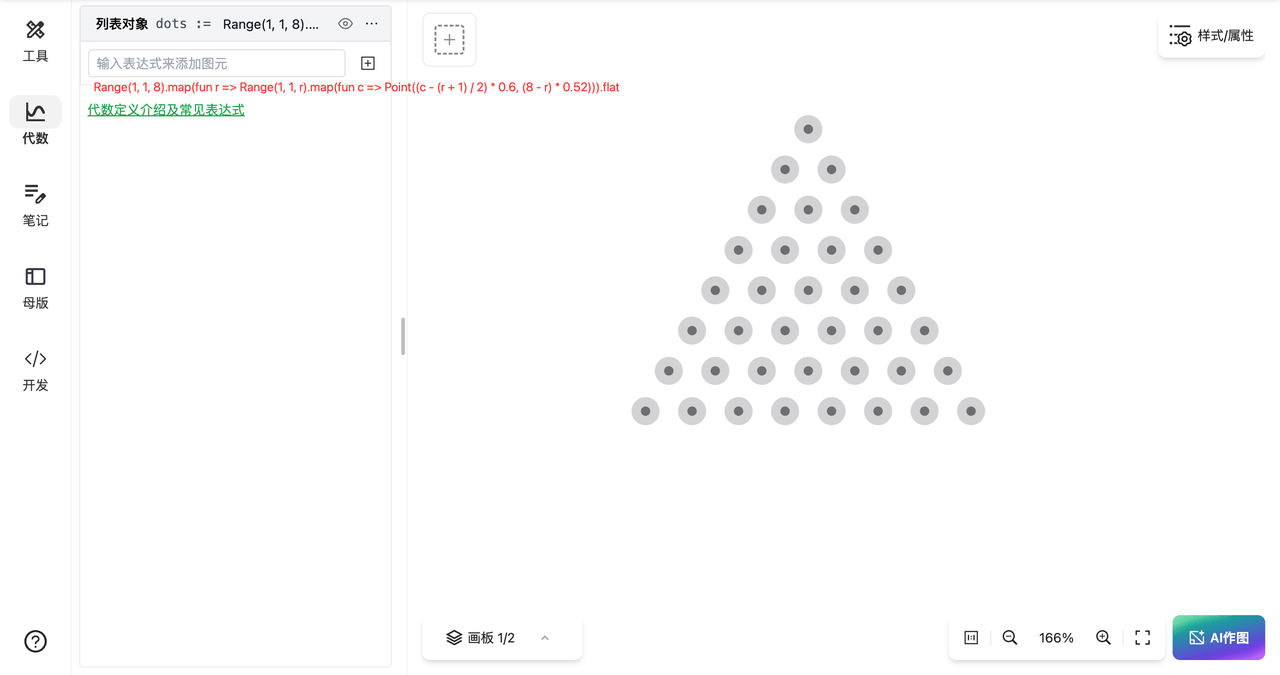
List and iteration syntax now includes Lambda expressions, list functions, and the List.size property. Repeated structures—such as evenly spaced points, repeated polygons, or list-driven parametric constructions—can be described more compactly.
Runtime safeguards also limit exceptionally complex expressions, reducing the risk that an erroneous input creates excessive computation or an unresponsive canvas.
Make every figure the starting point for the next lesson
This release advances four areas: more capable solid-geometry authoring, teaching resources that are easier to reuse, canvas and annotation tools grounded in real workflows, and more dependable editing of complex figures.
Dino-GSP should not only help create an accurate figure; it should make that figure easier to explain, revise, save, and use again.
We will continue to connect geometry authoring with teaching resources so that every figure can become the starting point for a future lesson.
Open Dino-GSP in your browser to try this month's update.