In August, Dino-GSP continued to improve one thing: making geometry content more natural to create and easier to bring into real teaching and product workflows.
Teachers, students, and curriculum teams can now express spatial relationships on the same canvas and complete diagrams with richer labels, shapes, and styles. Education product teams embedding Dino-GSP can also align the canvas with their visual system and connect existing image assets.
This month's update includes 3D geometry authoring, editor and diagram-tool improvements, plus custom fonts and first-party image asset library support for the open platform.
Move from the plane into space with 3D geometry
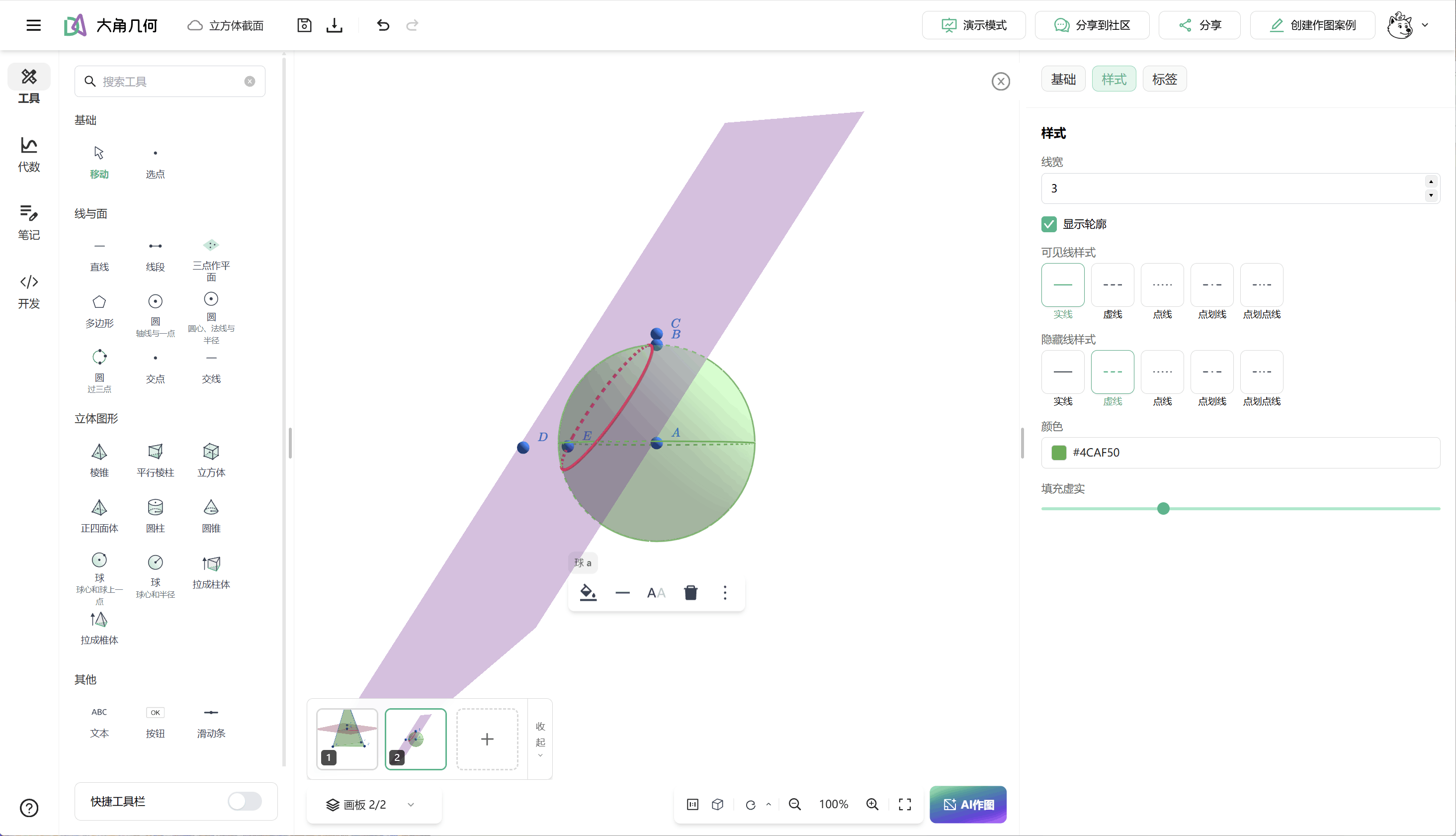
A spatial diagram for teaching or problem solving must make the relationship among points, lines, and planes clear. It must support cross-sections, perpendicular feet, auxiliary lines, and labels, while allowing the presenter to change viewpoint instead of redrawing the figure.
Dino-GSP now supports a 3D canvas and solid-geometry authoring. Construct common spatial objects, express relationships and intersections among points, lines, and planes, then rotate the view to inspect the figure. Multi-touch pan and zoom interactions are also available on mobile devices, so spatial figures are not limited to desktop viewing.
Classroom demonstrations can focus on the spatial relationship itself: which line is perpendicular to which plane, how a cross-section is determined, and which relationships remain unchanged as the view rotates. Solid figures for question banks, handouts, and courseware can live alongside existing plane-geometry content as editable assets.
This release also improves orbit animation, lighting, and the operation of tools for prisms, pyramids, and other solids. Continued rendering and stability improvements make complex spatial figures smoother to rotate, edit, and preview.
More complete diagrams with new tools and finer control
The value of a geometry diagram is not how elaborate it looks, but how accurately it communicates conditions and reasoning.
This month's editor improvements include:
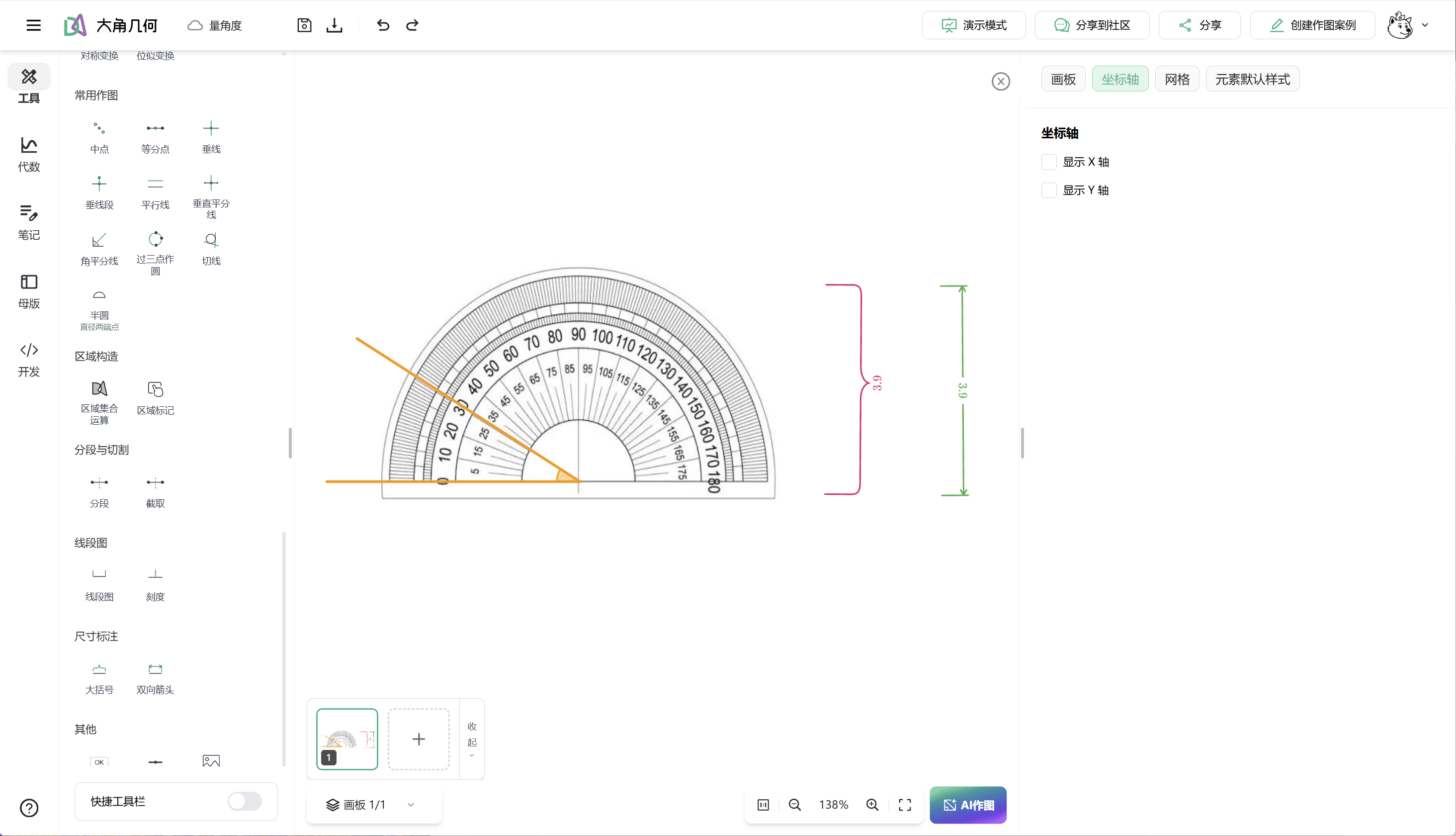
- Segment diagrams, segment annotations, and shaded closed regions
- Custom images, arrow styles, bidirectional tick marks, check marks, and custom colors
- Finer layer control for 2D objects, including clearer image stacking
- Continued refinements to the toolbar, algebra panel, and canvas properties
They address recurring production problems: how to label a known length clearly, make an important region immediately visible, or keep an inserted illustration from covering a key object. With fewer workarounds, teachers can complete explanatory diagrams faster and curriculum teams can build consistent, reusable templates.
Master import, editing, style configuration, and template-style management across canvases have also improved. Export handling for fonts, LaTeX text, and canvas boundaries has been strengthened, reducing repeated adjustments between finishing an edit and placing it in a handout, question bank, or product page.
Make typography part of the content standard
For many education products, geometry diagrams appear in questions, explanations, handouts, courseware, and branded interfaces. When diagram typography does not match body copy or brand guidance, the experience feels fragmented and batch-generated content takes additional work to correct.
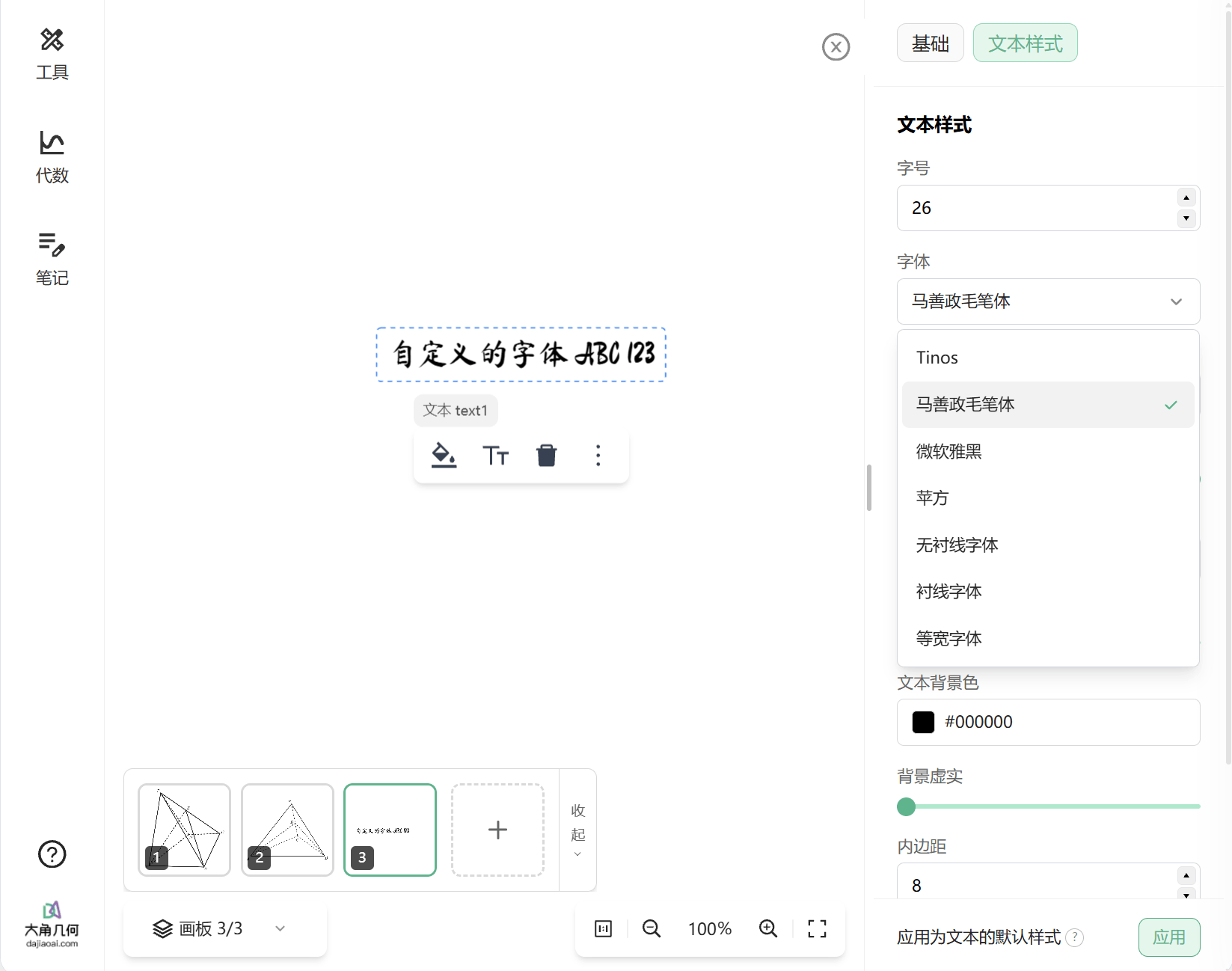
Dino-GSP's open capabilities now support custom fonts across embedded SDK canvases, MCP-assisted drawing, AI image generation, and render exports. Integrators can configure available fonts, their display order, and the default font for new text. AI drawing can also specify fonts for point labels and explanatory copy; those choices continue into PNG, SVG, and TikZ export.
This is useful for question-bank and publishing teams that need a consistent annotation style, education SaaS products embedding a branded canvas, and AI courseware or tutoring products that need generated figures closer to delivery-ready output. Integrators must still confirm font licenses and web-distribution rights for proprietary or third-party fonts.
Bring your existing image library into the canvas
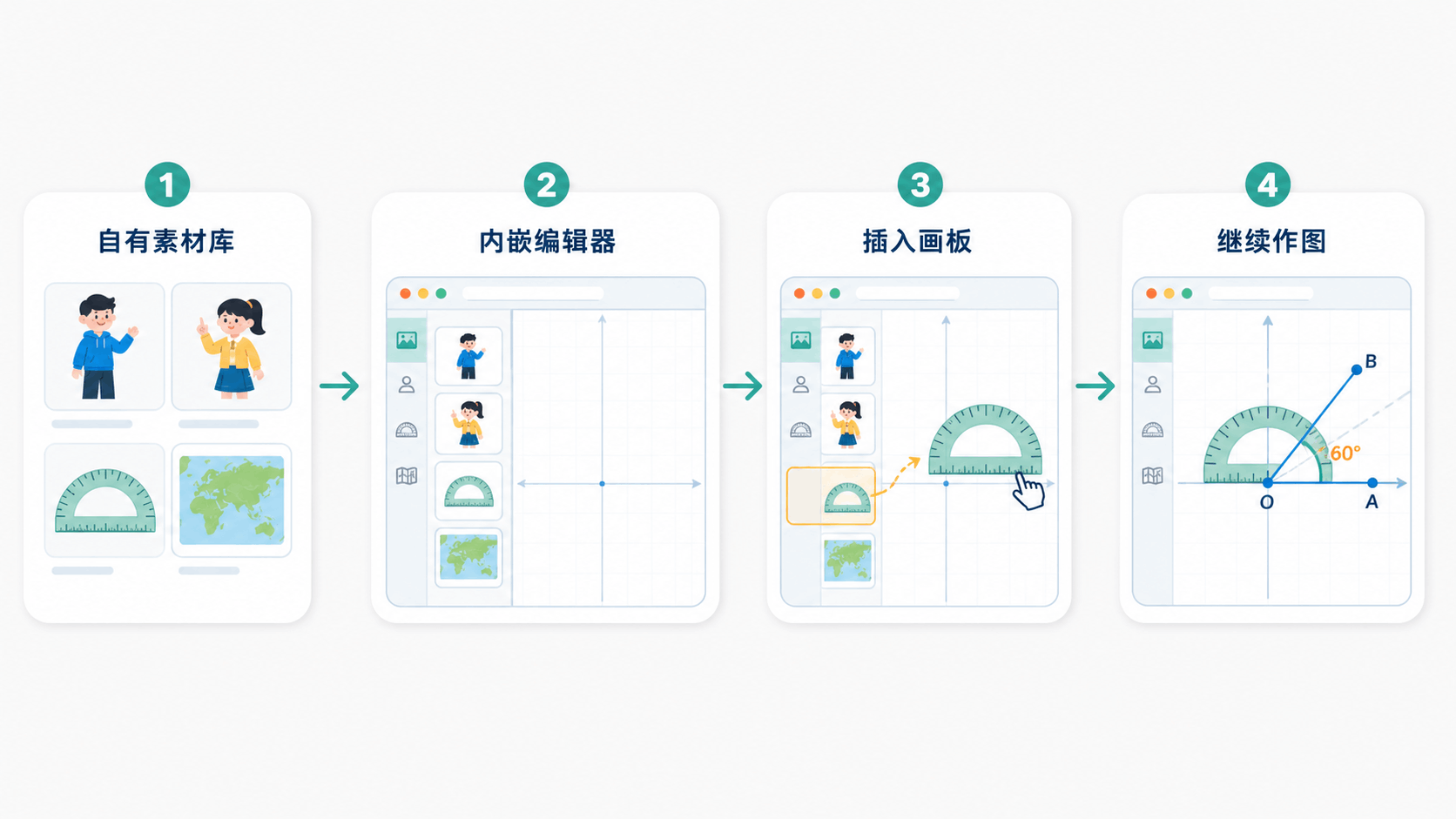
SDK 2.11.0 supports connecting an integrator's own image asset library to the embedded editor. Many education products already manage question illustrations, subject visuals, course assets, and brand icons by campus, learning stage, or curriculum. Previously, using them on the canvas often meant downloading, uploading, and switching among systems.
An integrator can now provide image-search capability to the SDK. When a user browses, searches, or changes pages in the embedded editor, the canvas requests assets from the host. The host retains responsibility for storage, categorization, and permission checks, then returns the images visible to that user for insertion.
Asset governance stays with the integrator, while the canvas becomes a natural entry point to its content workflow. A question-bank product can show only the current user's approved subject assets; courseware can call its resource library directly; research-and-teaching platforms can reuse reviewed assets; branded products can offer consistent icons and visual elements.
When no library is configured, the editor automatically hides the related entry point. For authenticated image services, ensure that image URLs can be accessed in the user's browser; a backend can issue temporary URLs when needed.
Make geometry content easier to create, reuse, and deliver
3D geometry expands the mathematical space that can be expressed. Diagram and editing tools lower the effort of turning an idea into a canvas. Custom fonts align content with a product standard, while an asset library connects the canvas to existing content and permission systems.
For individual creators, Dino-GSP is becoming a more complete, practical tool for mathematical expression. For education product teams, it is becoming an easier capability to embed, manage, and reuse: one that carries geometric objects and spatial relationships alongside brand styles, assets, and established workflows.
Related announcements and documentation:
Open Dino-GSP in your browser to try this month's update.