Embedding a geometry board in a product is only the first step.
Once it enters a real workflow, more specific questions appear:
- How can the same diagram fit a question-bank thumbnail, an exam illustration, and a high-resolution slide?
- How can a product export an exact coordinate range without repeatedly adjusting the canvas?
- Can a geometry diagram remain editable after it enters a paper or textbook?
- Why can a board return at the wrong size when it reappears inside a tab, drawer, or collapsed panel?
- Can a presentation keep only the controls that a teaching scenario actually needs?
These questions point to the same challenge: helping geometry content leave the board reliably and enter real content-production, teaching, and product-delivery workflows.
Dino-GSP SDK 2.10.0 is now available. This release focuses on export, dynamic-layout support, and presentation mode, so one geometry source can adapt more smoothly to different devices, formats, and business scenarios.
Upgraded image export: deliver for a purpose, not just as a screenshot
There is rarely a single correct way to export an image for question banks, courseware, exams, and content platforms.
A question list needs consistent thumbnails. A slide deck needs crisp output with balanced whitespace. An exam needs predictable framing. Some lessons need only a selected region of a coordinate system.
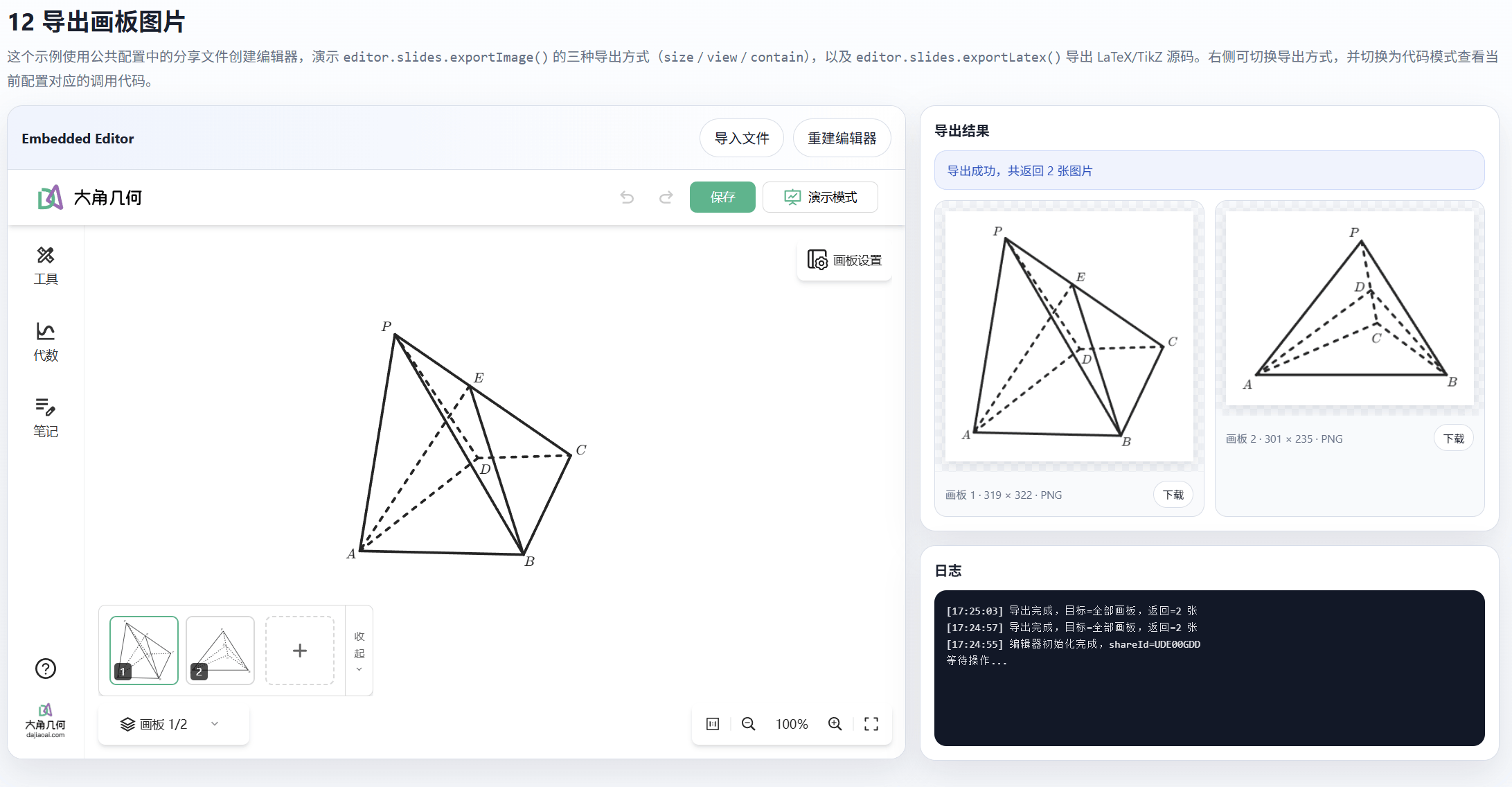
Dino-GSP SDK 2.10.0 adds three modes to editor.slides.exportImage(options):
- size mode exports at a specified size for thumbnails, content cards, and fixed-layout slides.
- view mode exports a selected world-coordinate viewport with precise framing and scale, ideal for coordinate systems, function plots, and local geometric relationships.
- contain mode fits the complete construction automatically, reducing clipping and uneven whitespace when exporting varied geometry assets in batches.
The API supports PNG, JPG, and SVG and adds control through pixelRatio, padding, minPadding, quality, and related options. Developers no longer need to move the canvas, adjust zoom, or crop an exported image for every layout. The same structured geometry data can produce the right visual result for each destination.
Standalone LaTeX/TikZ export: bring geometry into professional typesetting
For textbooks, exam publishing, and academic writing, an image is not always the final answer.
Raster images do not scale without loss and are costly to revise. General vector formats stay sharp but may not blend naturally with a LaTeX document's typography and layout. TikZ solves those problems, but writing it by hand takes time and specialized knowledge.
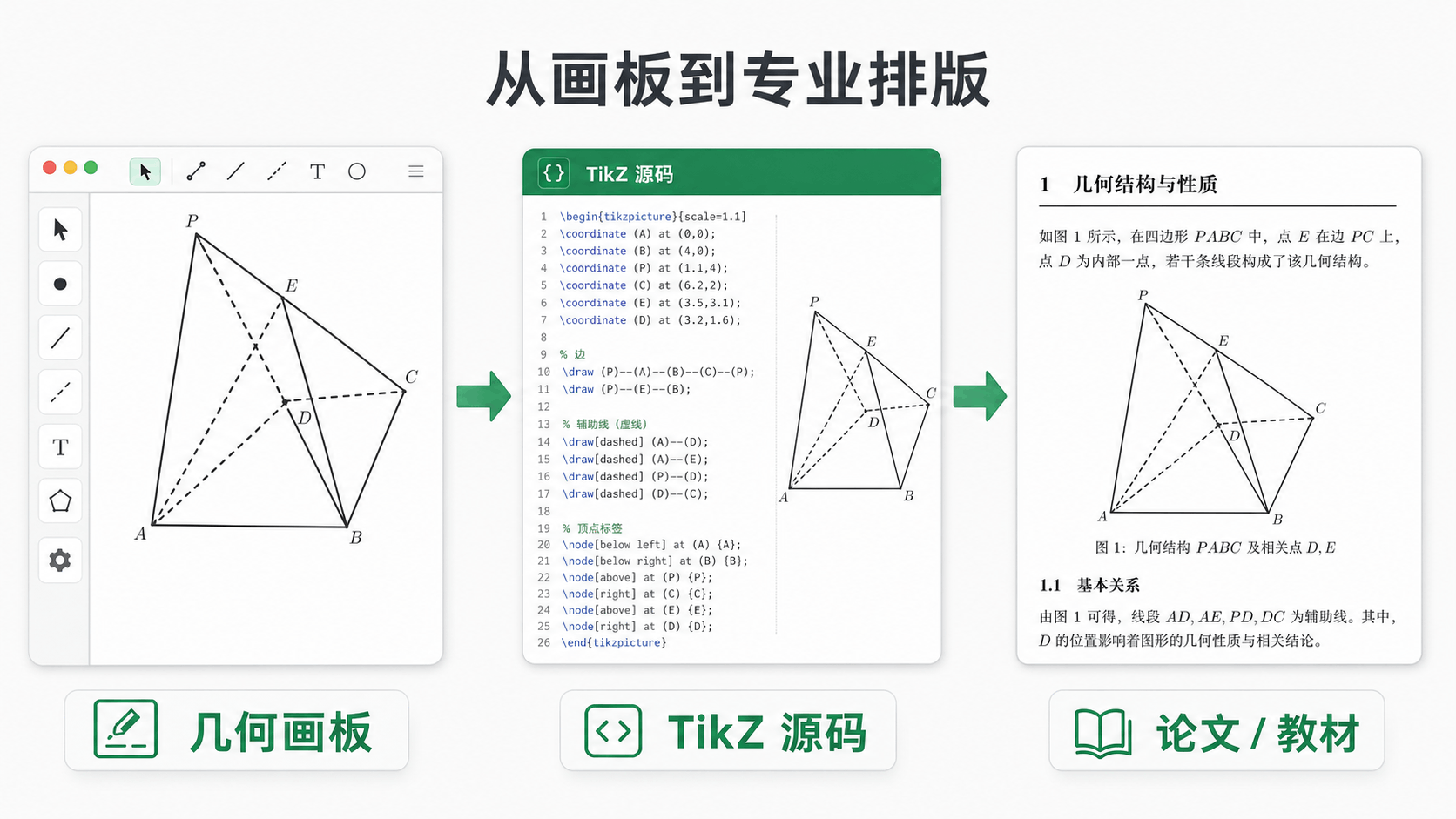
In 2.10.0, LaTeX/TikZ export moves to its own API:
editor.slides.exportLatex(options)
The separate API makes the roles of image and source export clearer and helps content systems build predictable pipelines:
- Export PNG, JPG, or SVG for websites and slides.
- Export editable LaTeX/TikZ for papers, handouts, and textbooks.
- Generate several delivery formats from the same geometry source instead of redrawing it for every channel.
For teams with a large mathematics catalog, this is more than a faster export. It gives geometry assets the conditions for create once, reuse everywhere, and maintain over time.
Automatic redraws in dynamic containers
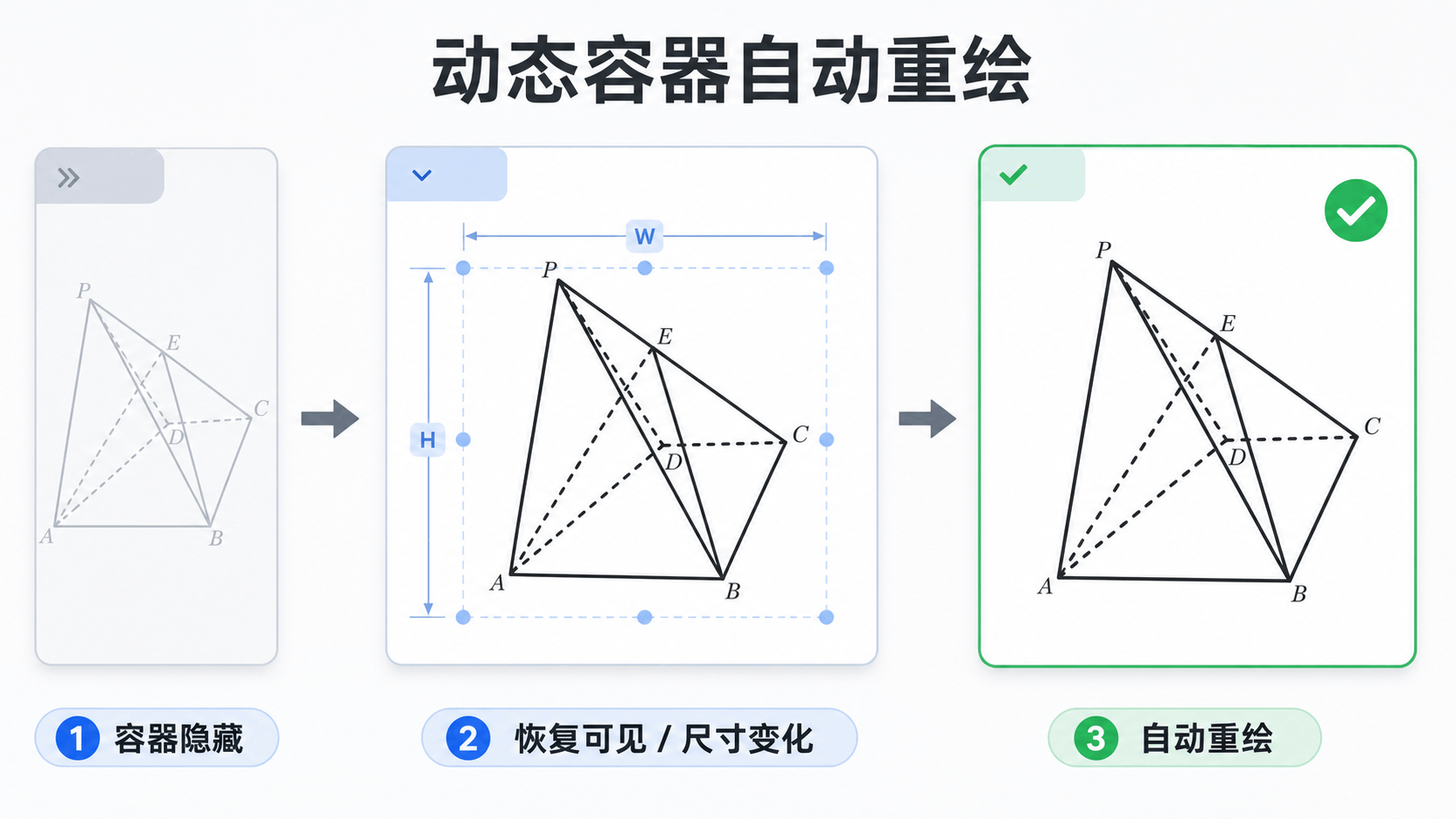
Modern web products rarely place a geometry board on a permanently visible page with a fixed size. It may live in a question-editing dialog, course tab, side drawer, collapsed panel, or resizable workspace.
Dino-GSP SDK 2.10.0 adds resize() to both EmbeddedEditor and EmbeddedPresentation and uses ResizeObserver to follow container-size changes. When a hidden container becomes visible again, the SDK automatically asks the embedded page to measure and redraw.
This is especially useful for:
- Multi-tab question-bank and curriculum back offices
- Authoring tools that place the board in a drawer or dialog
- Split-view AI math products with resizable panels
- Responsive experiences across desktop and mobile
Users get a correctly sized, complete board when it opens. Development teams need fewer layout workarounds and get a more reliable embedded experience.
More configurable presentation mode
Being able to present does not mean the same interface fits every presentation.
A teacher may need the slide panel to switch examples quickly. A student reviewing a solution may need only zoom controls. A large display or content preview may work best with every tool hidden so the geometry stays central.
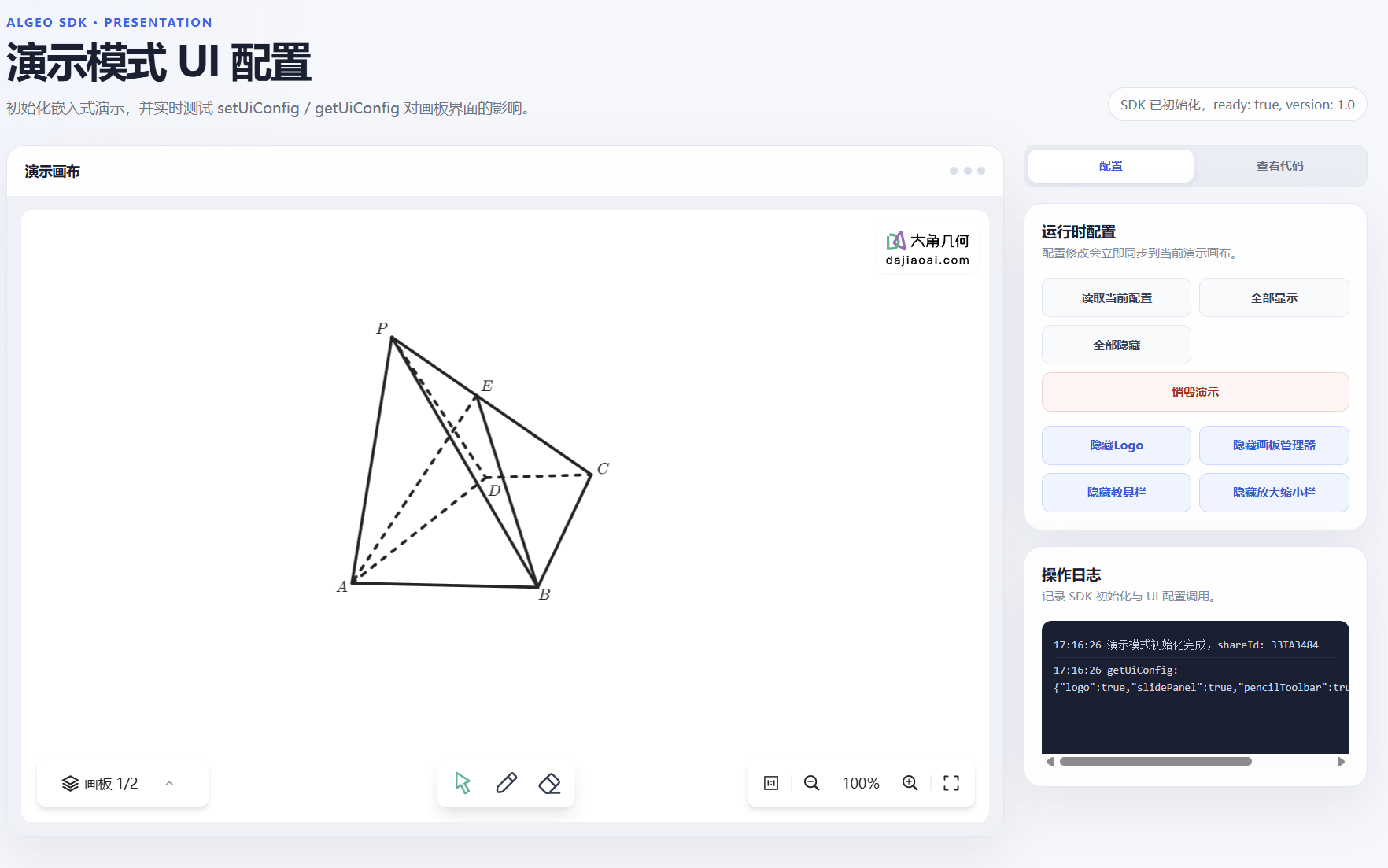
Dino-GSP SDK 2.10.0 adds three presentation-mode UI options:
slidePanelcontrols the board-management area.pencilToolbarcontrols teaching and annotation tools.zoomControlcontrols the zoom interface.
Products can now decide which controls appear in classroom teaching, self-study, content preview, or large-screen scenarios—preserving necessary actions without distracting users.
Where this release delivers immediate value
- Question banks and education SaaS: generate consistently sized diagrams for cards, detail pages, and exam templates while reducing manual screenshots and cropping.
- Curriculum and courseware products: carry the same geometry data through editing, classroom presentation, slide export, and resource distribution.
- Publishing and academic writing: generate TikZ source directly from the board and keep it editable in a professional typesetting workflow.
- AI math products: run the board reliably inside split views, tabs, and dynamic panels with fewer sizing and incomplete-render problems.
- Teaching presentations and content viewers: give teachers, students, and reviewers the right interface without building a separate board for every role.
Check these three items before upgrading
When moving to Dino-GSP SDK 2.10.0:
- Specify
size,view, orcontainin image-export calls. - Move LaTeX/TikZ export to
editor.slides.exportLatex(options). - Move the presentation application identifier from top-level
appIdtoauth.appId.
For the full release notes, examples, and documentation:
If your product works with geometry problems, interactive courseware, mathematics content production, or AI teaching, upgrade to Dino-GSP SDK 2.10.0 and put the new workflow to work.