A dynamic geometry lesson is not finished when the construction is complete. That is when the practical questions begin.
Will it still open when the classroom loses its connection? Can students replay the exact moment a point moves? If a complex figure needs only one arc, must the author hide objects or rebuild it?
The July 2026 major update to Dino-GSP, also known as 大角几何, addresses all three with offline HTML export, canvas recording and video export, and splitting and trimming tools.
These capabilities belong to different parts of the product, but they serve one goal: help dynamic geometry work move reliably from the editor into lessons, handouts, and content production.
One HTML file can take a dynamic lesson anywhere
Shared links are convenient, but they assume the network, account, and service are all available. Classrooms do not always cooperate: a connection drops, a shared computer is signed out, or a student cannot reach the link.
A project can now be exported as a standalone HTML file. Open it without signing in, connecting to the internet, or installing extra software. Animations continue to run, objects remain draggable, and formulas still render.
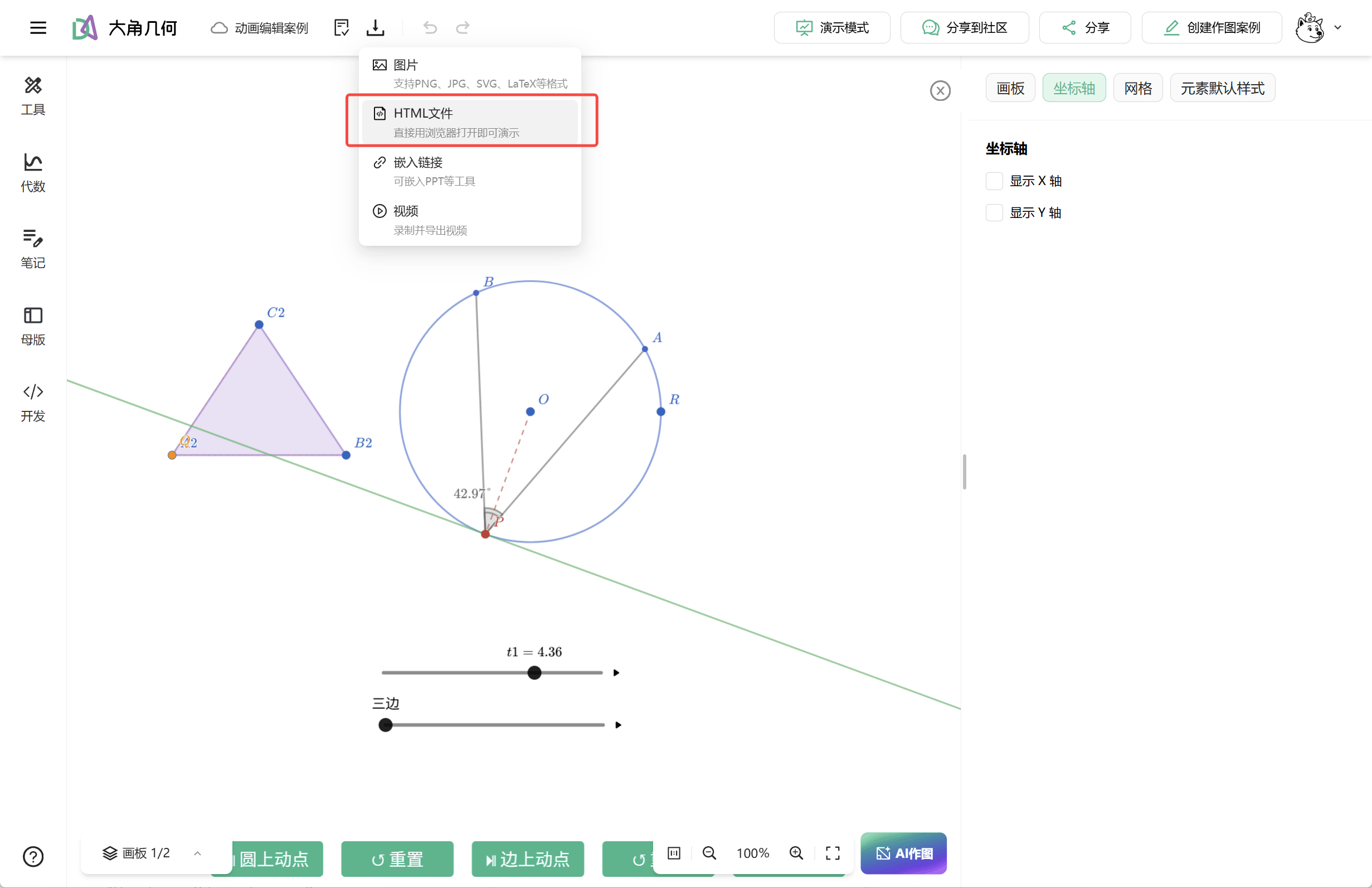
Save the file to a USB drive for class, send it to colleagues or students for direct viewing, or archive it as a complete work. Offline export is not simply another format. It is a dependable fallback for a dynamic lesson.
Press record and show exactly how the figure moves
The conclusion to a geometry problem may fit on one line. The useful part is the change that leads there: how an angle responds to a moving point, why an auxiliary line is constructed, and what happens when a parameter changes.
Start recording inside the editor, then drag points, play animations, switch pages, and demonstrate the reasoning as usual. Export the result as a video for a class group, learning platform, presentation, or content channel.
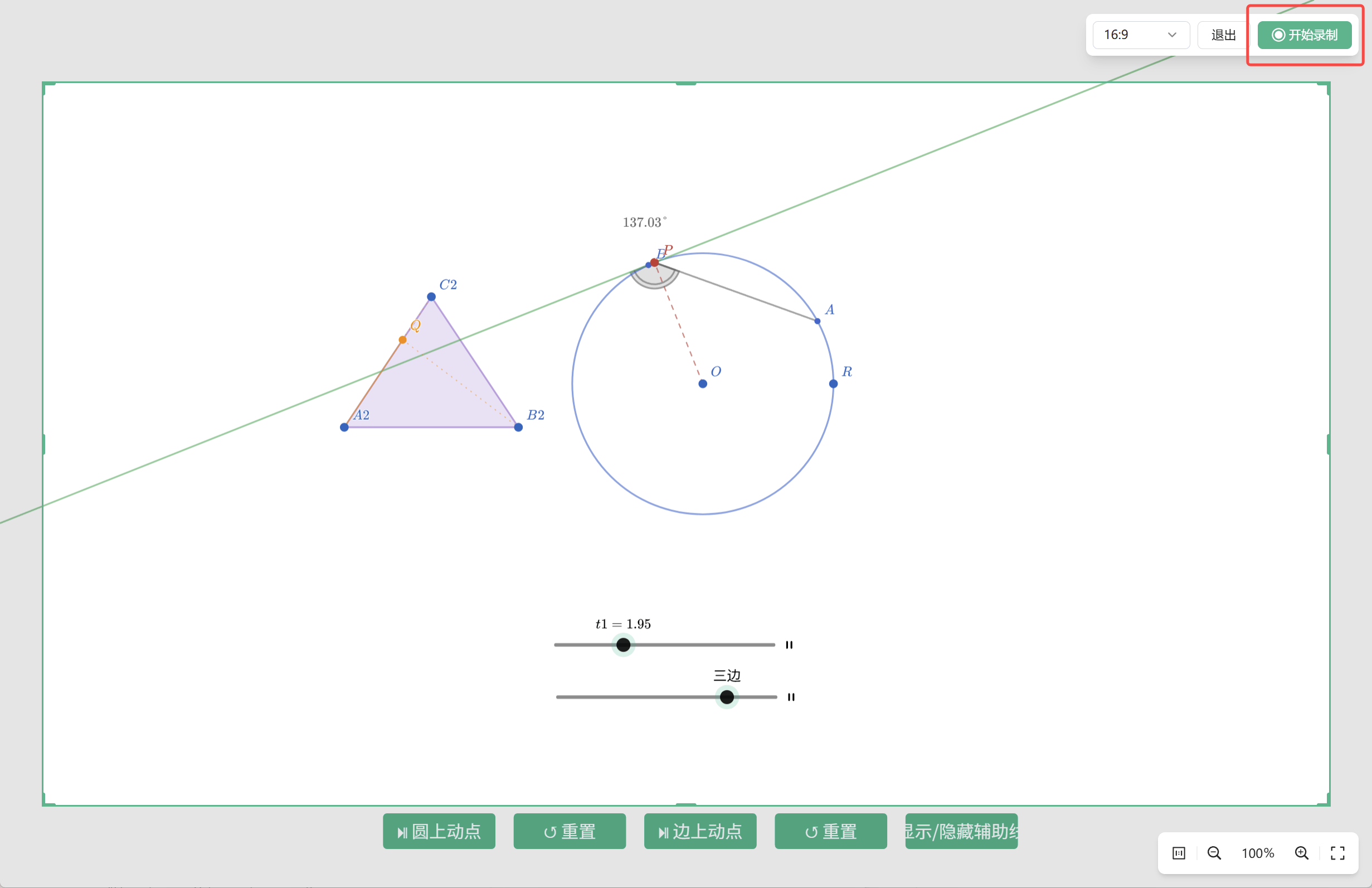
Teachers can record short lessons, preserve derivations for review, or share a teaching design with colleagues. Math creators can produce dynamic geometry footage without repeatedly cropping a generic screen recording.
Interaction is ideal for exploration; video is ideal for distribution. A single project can now support both.
Construct first, then trim instead of rebuilding
The most tedious part of a complex construction is often not drawing too little, but drawing slightly too much: a complete line when only its middle is needed, or a full circle when the figure calls for one arc.
These details previously required helper lines, masks, hidden objects, or a partial rebuild. Once a diagram contains several constraints, rebuilding can affect connected objects. New splitting and trimming tools let authors refine lines and curves directly.
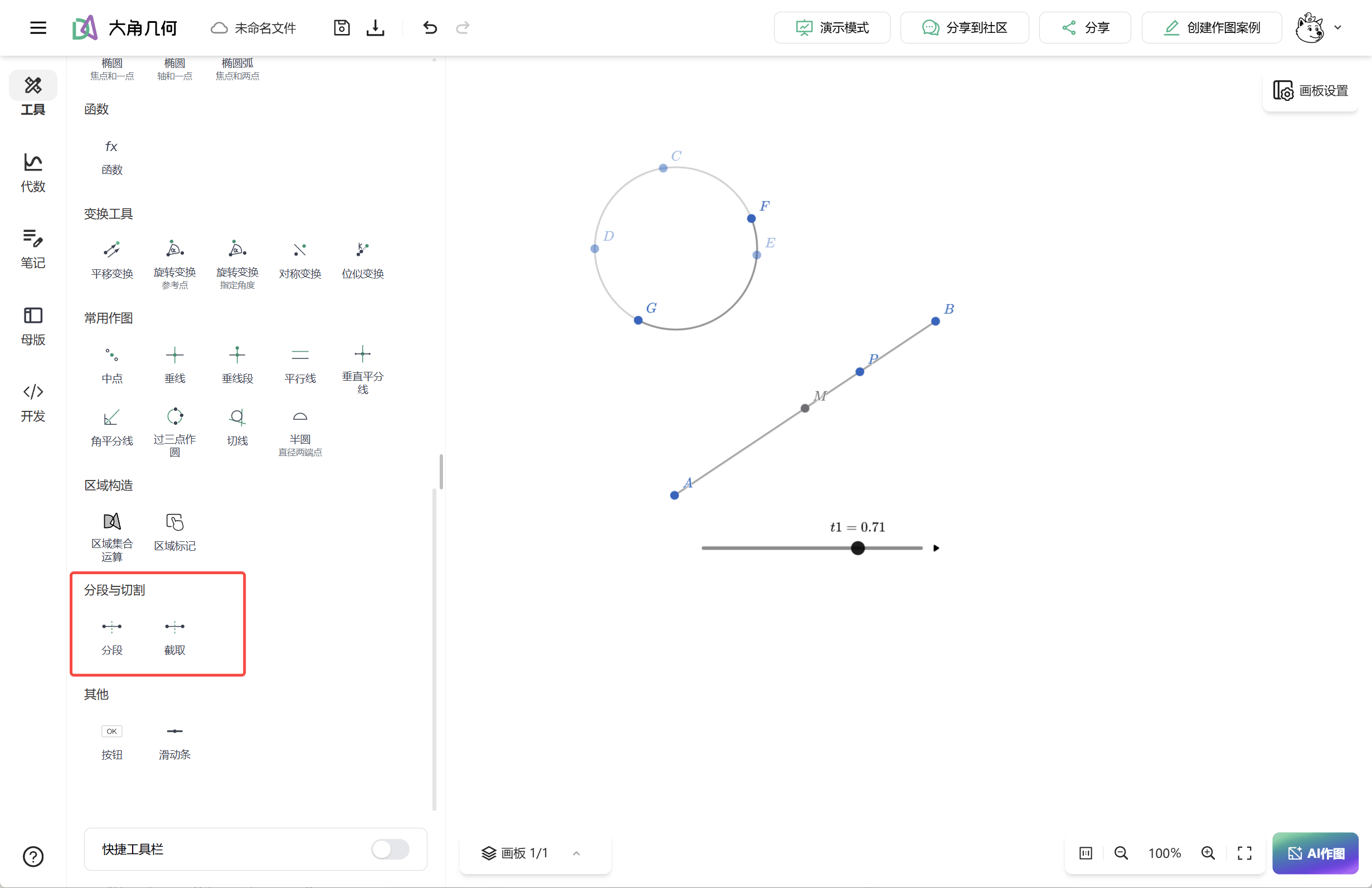
- Lines, segments, and rays: split at a chosen position and keep the required part
- Circular and elliptical arcs: extract precise arc sections for sectors, segments, and compound figures
- Circles and ellipses: trim against selected boundaries to produce circular or elliptical arcs
The workflow changes with the tool: establish the underlying construction first, then shape the final figure. Olympiad diagrams, auxiliary lines in proofs, and nonstandard geometry can all take a more direct route.
There is more in this update
- Slider-controlled regular polygons: use a slider to change a regular polygon dynamically from three to four, five, or more sides
- Axes as references for parallel and perpendicular lines: construct directly relative to the x- or y-axis
- Function display ranges: restrict the visible interval of a line or function for cleaner diagrams
- Pinyin search in the tool panel: find tools quickly with Pinyin input in Chinese interfaces
- AI draft injection in embedded mode: let external systems send AI-generated content directly into the editing workflow
- Asynchronous MCP Agent tasks: improve stability for large automated workloads with result polling
- Structured button-action editor: configure interactive buttons visually without writing code
Let every project keep working beyond the editor
Offline export answers “can I take it with me?” Recording answers “can more people see the process?” Trimming answers “can I make it accurate with less friction?”
Together, the three features give a dynamic geometry project a more complete path: construct and refine it on the canvas, then carry it into classrooms, curriculum collaboration, and content platforms as an interactive file or video.
That is the most important change in Dino-GSP's July 2026 update: not a longer toolbar, but work that can travel farther.
Open Dino-GSP in your browser to try this month's update.