Dino-GSP has recently completed an important product upgrade.
This release not only introduces new user-facing features, but also delivers a systematic upgrade to the underlying geometry engine and AI drawing capabilities.
The core updates include:
- Full rollout of the Beta board
- AI geometry drawing agent system
- SVG / LaTeX export
- Upgraded geometry drawing toolset
- Optimized expression syntax system
This article walks through the technical changes and product updates in detail.
1. Full rollout of the new board ✨
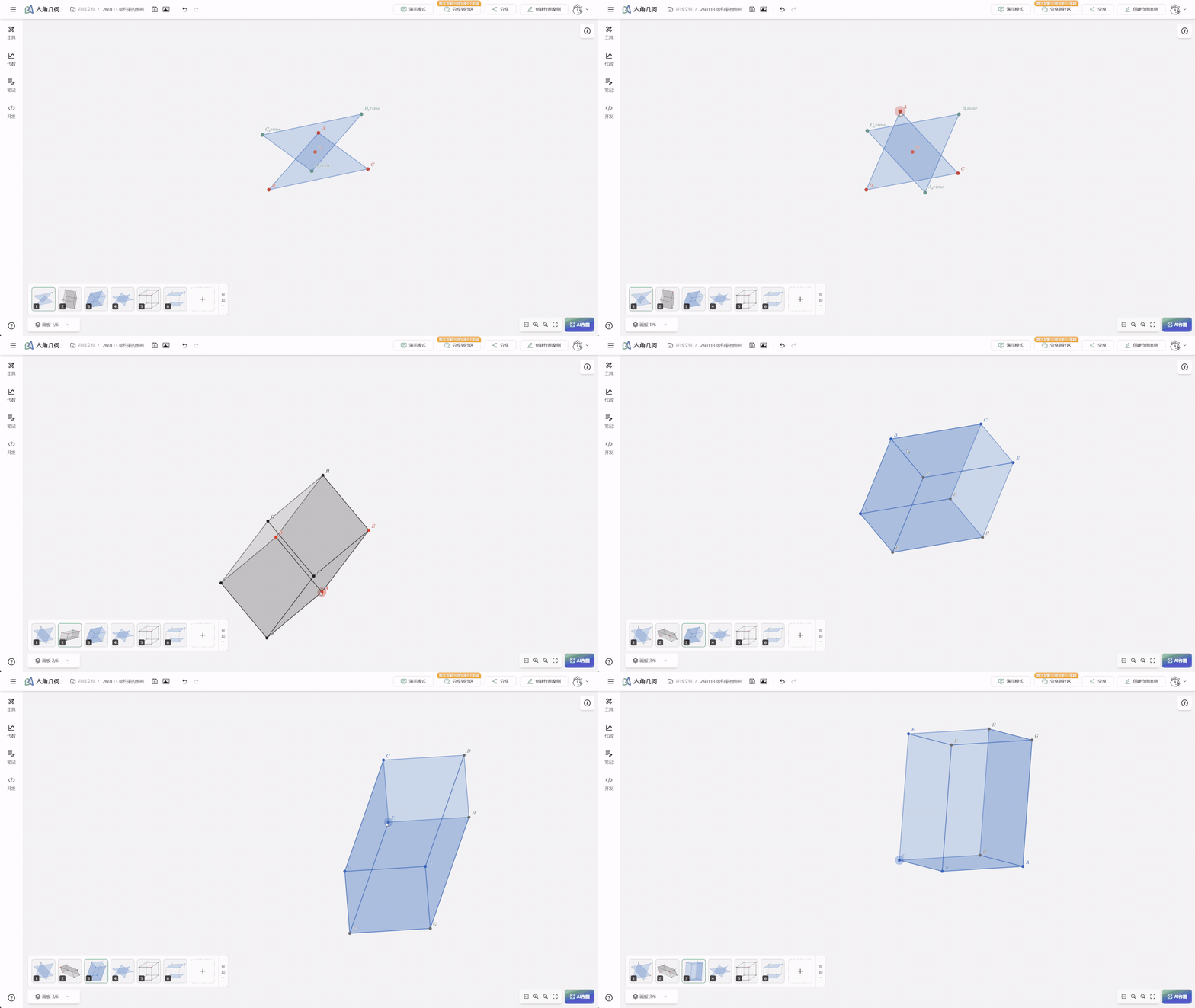
In this release, Dino-GSP completed a full migration from the legacy board to the Beta board system.
The new board restructures the underlying architecture, bringing clear gains in geometry drawing performance, stability, and extensibility.
The main improvements include:
- A more stable geometry object management system
- Smoother Canvas rendering performance
- A more complete drawing tool system
- Better compatibility with AI-assisted drawing
The new version also now fully supports template case import.
One compatibility note: legacy board files can still be viewed, but they cannot yet be migrated into the new board.
2. AI drawing agent system: letting AI execute geometry commands directly 🧠
One of the most important additions in this release is the AI drawing agent system.
Traditional AI geometry tools usually stop at interpreting a problem, generating a textual description, or outputting a static image. Dino-GSP is aiming at something more ambitious: letting AI participate directly in the geometry construction process.
To make that possible, we designed a complete REPL (Read-Eval-Print Loop) interaction system.
Inside this system, AI can execute geometry DSL commands directly and create geometric objects in real time.
For example:
def A := Point(?:=0, ?:=2)
def B := Point(?:=0, ?:=2)
def a := Segment(A, B)
def b := Circle(B, A)
label A, B := "{{id}}"
The system parses these commands and generates the corresponding geometric structure.
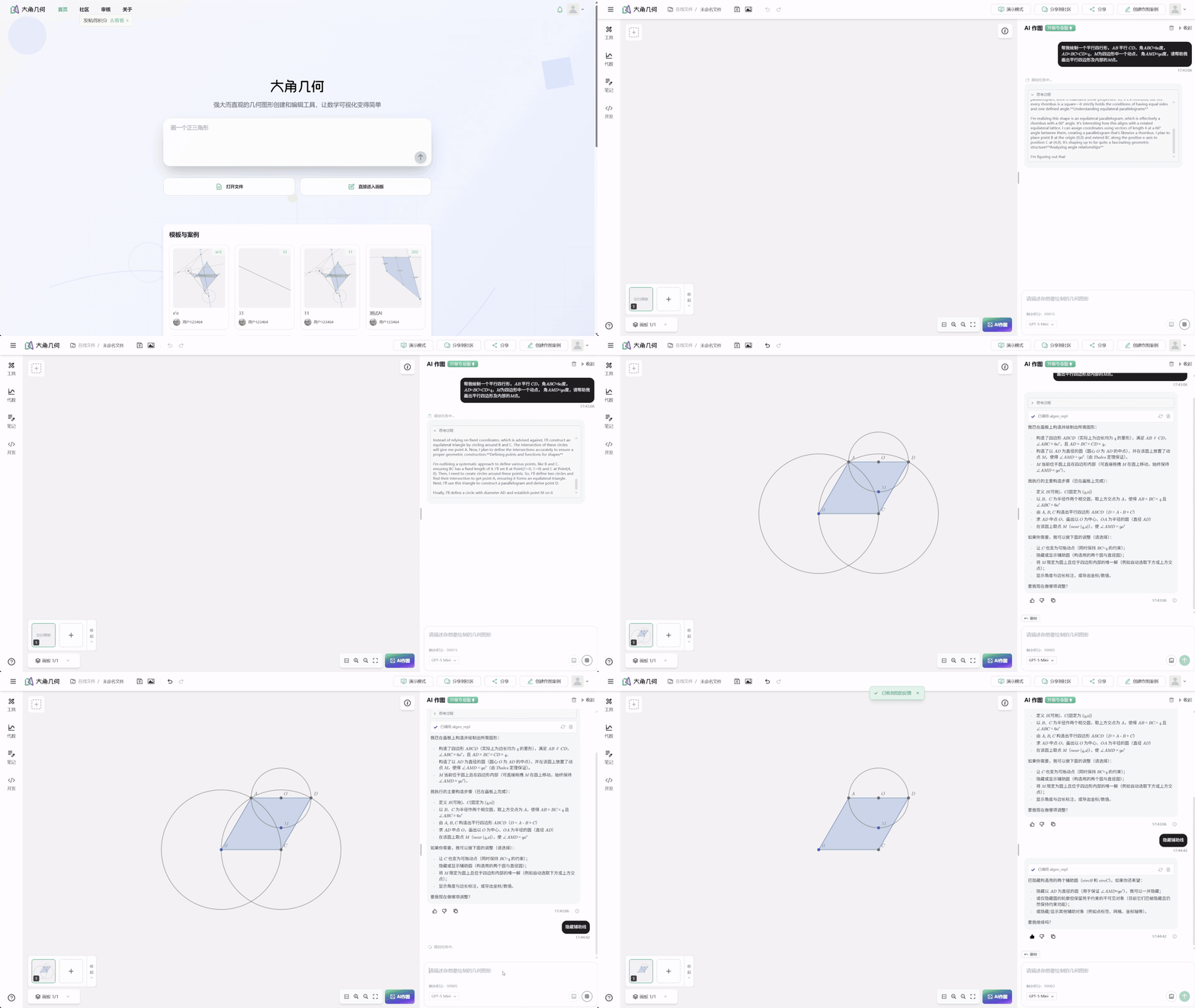
This approach allows AI to construct complex geometric figures step by step, rather than generating a final image in one pass.
2.1 Support for 20+ geometry commands
The AI drawing system currently supports 20+ geometry commands.
They mainly fall into three categories:
Object creation
- point
- line
- circle
- polygon
Geometric computation
- intersect
- projection
- midpoint
Drawing management
- style settings
- label management
- board operations
With these commands, AI can complete complex geometry construction workflows. You can find the full documentation here.
2.2 A more stable AI interaction system
To keep AI drawing stable in complex conversations, this release adds several engineering mechanisms:
Automatic retry mechanism
When AI outputs an invalid command, the system retries automatically.
Context caching mechanism
By caching geometry state, the system reduces token usage.
Longer history support
The system now supports 500 turns of conversation history, making it easier to handle more complex construction processes.
3. SVG and LaTeX export
In teaching and content production scenarios, geometric figures often need to be exported into other systems.
This release therefore adds:
- SVG export
- LaTeX export
That makes it easier to use geometric figures directly in:
- math papers
- teaching slides
- academic presentations
- math blogs
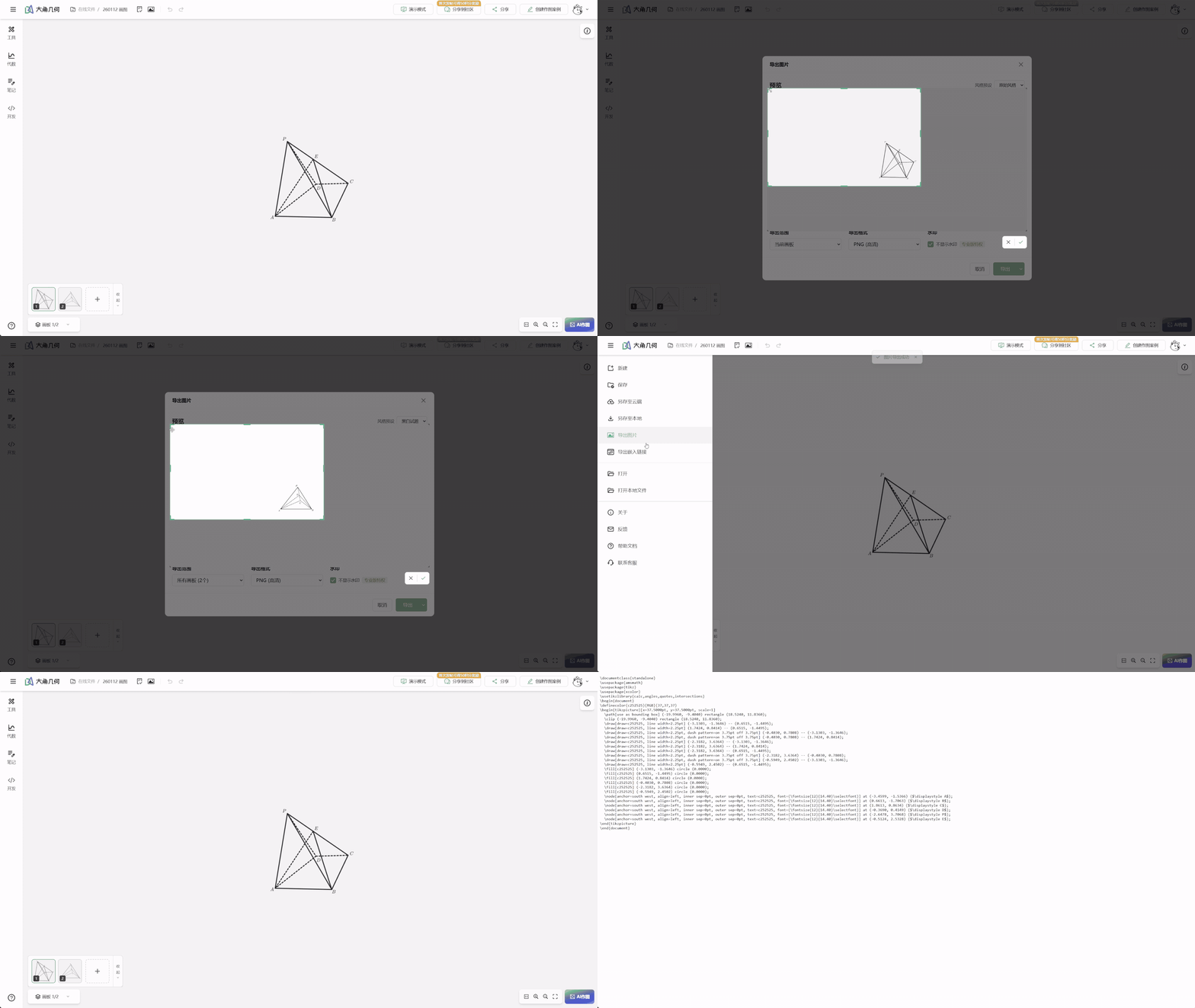
SVG export produces high-quality vector graphics.
Meanwhile, LaTeX export can be used directly in academic typesetting workflows.
4. Upgraded geometry drawing tool system
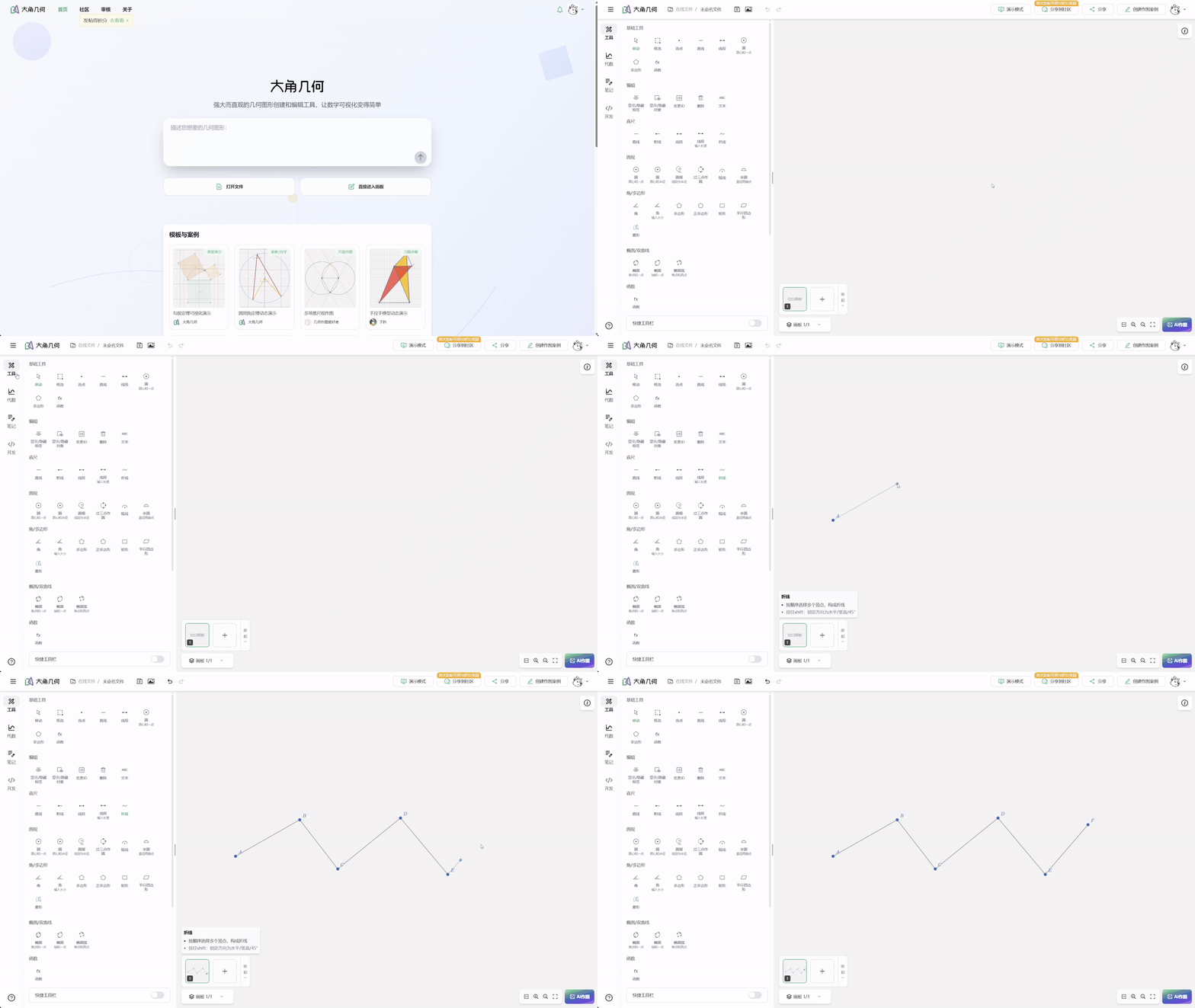
Beyond the AI features, this release also expands the geometry drawing tool system.
New tools include:
- polyline tool
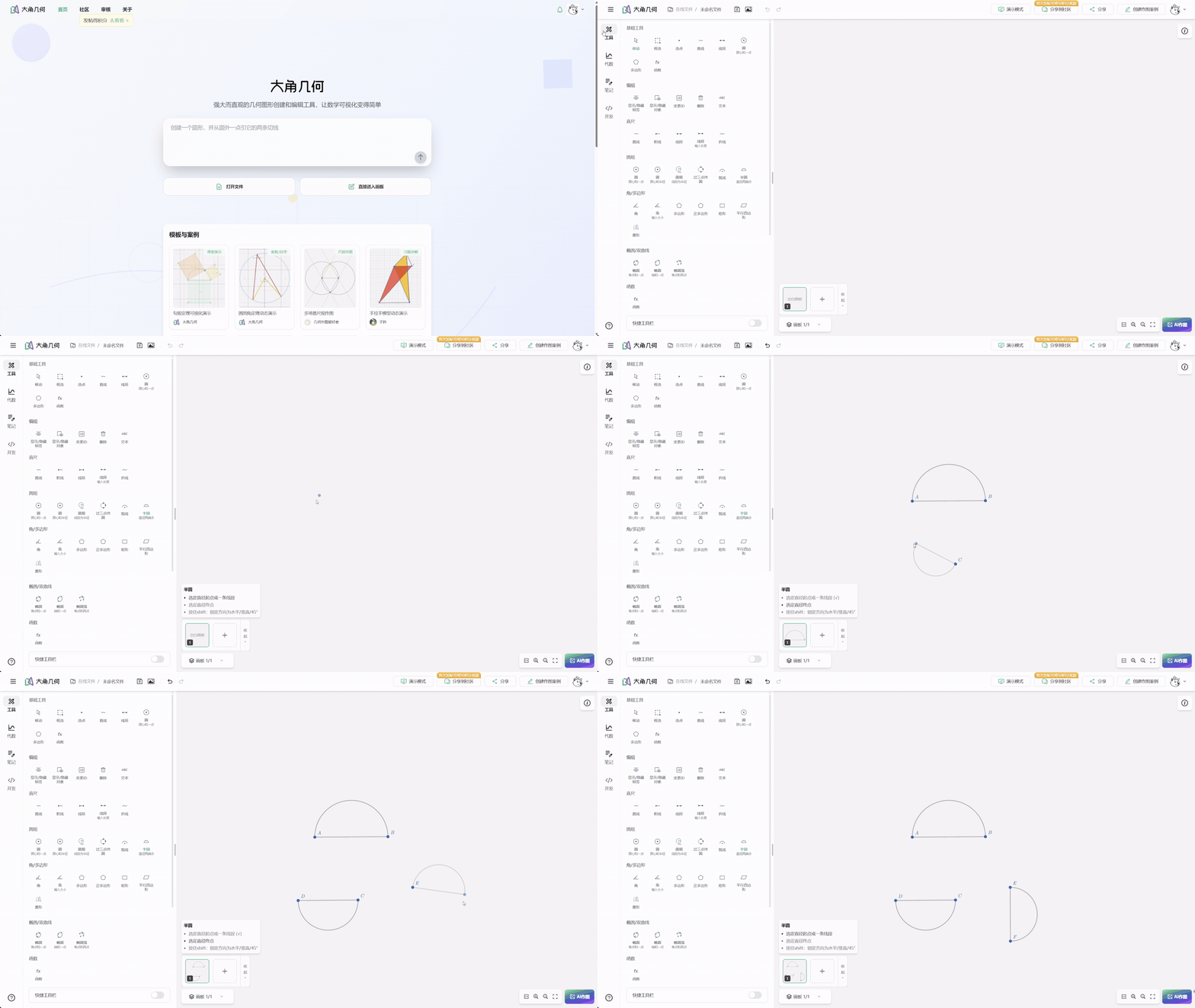
- semicircle tool
- rhombus tool
- transform tool
- preset shape tool
These tools support more complex geometry construction tasks.
4.1 Function graph tool upgrades
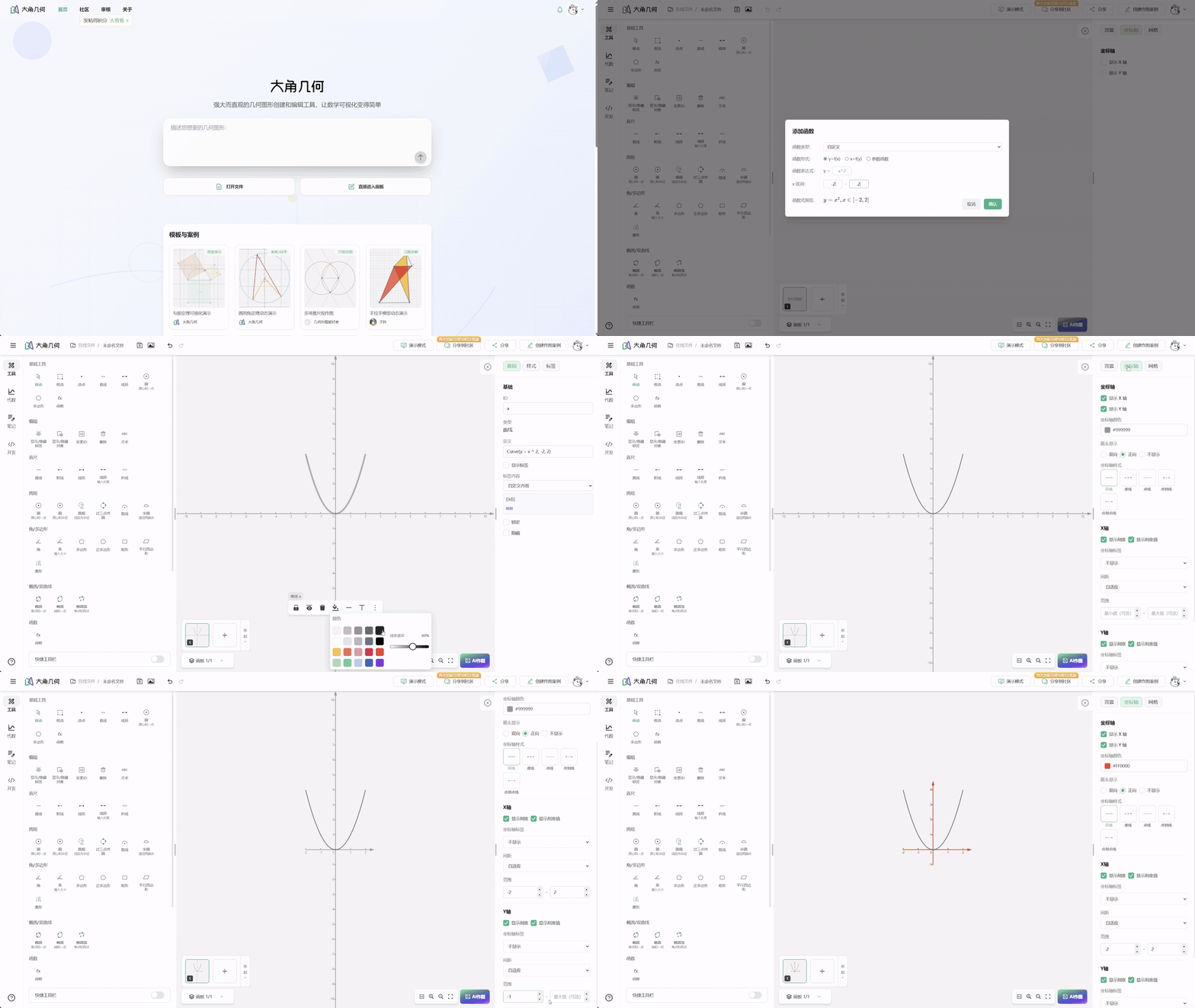
Function graphing capabilities were also enhanced.
New support includes:
- function range settings
- intersection filtering
- custom line styles
This means Dino-GSP can now handle not only geometric figures, but also function graph problems.
5. Fixes and stability improvements
This release also fixes multiple issues affecting product experience, including:
- drawing tool issues
- property panel and styling system issues
- iOS presentation mode issues
- Safari display issues
- text and formula rendering issues
These fixes significantly improve overall stability.
6. Summary
This upgrade is an important milestone for Dino-GSP.
The core changes include:
⭐ A more stable geometry board architecture
The Beta board lays the foundation for future feature expansion.
⭐ Upgraded AI drawing capability
The AI drawing agent system allows AI to execute geometry construction commands directly.
⭐ Better content production workflows
SVG and LaTeX export make it much easier to bring geometric figures into teaching and academic scenarios.
Going forward, Dino-GSP will continue advancing:
- AI geometry reasoning
- platform capabilities
- more tools for teaching and content production
If you are interested in AI Geometry / Dynamic Geometry / AI Drawing Agent, you are also welcome to try Dino-GSP.
Register through this link to receive 100 AI credits for the experience.