Dino-GSP, also known as 大角几何, received a major 2.5.0 update in April 2026. This release introduces the long-awaited Windows desktop app and improves core workflows across function graphing, cloud file management, geometry construction, AI-assisted drawing, text labels, and exports. For math teachers, students, and researchers, it makes the geometry and math visualization workflow faster, more complete, and more practical for daily use.
Windows desktop app is now available
The most visible change in Dino-GSP 2.5.0 is the official release of the Windows desktop app. Users can now install a native desktop application and use the full geometry drawing workflow without depending on a browser. This expands Dino-GSP into more desktop-first scenarios, especially for users who need offline work or a smoother local editing experience.
The desktop app brings:
- Faster startup: local execution reduces waiting time and network friction
- Offline geometry work: geometry construction and function graphing can continue without a network connection
- Better system integration: files can work more naturally with the Windows file management environment

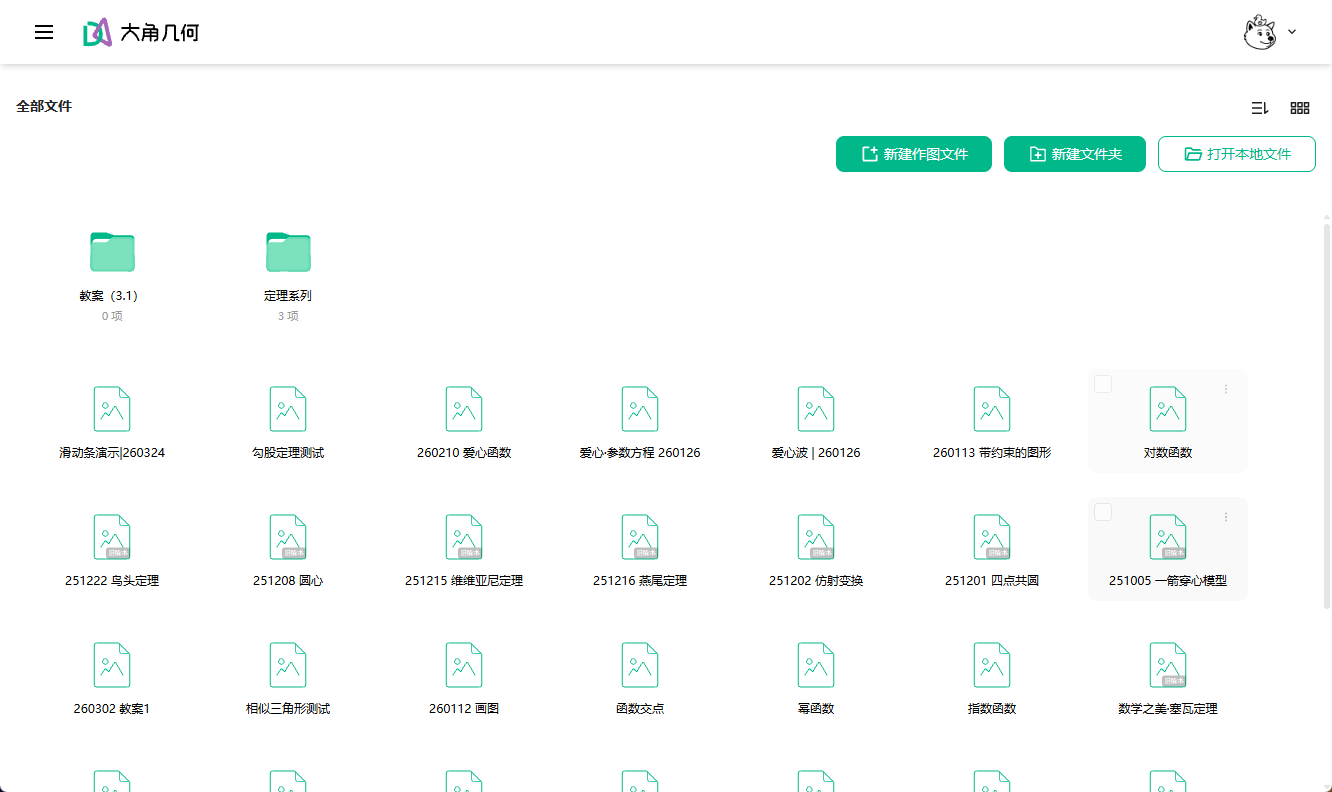
Cloud file management upgrade: folders for cleaner project organization
As users create more diagrams, lessons, and function graphs, file organization becomes a real workflow problem. Dino-GSP 2.5.0 adds folder-based organization to its cloud file system, making it easier to:
- Create multi-level folders for courses, topics, or projects
- Find previous work more quickly
- Move through common file operations with a more efficient interaction flow
For teachers and content creators managing many math lessons or geometry projects, this is a practical upgrade to everyday production.
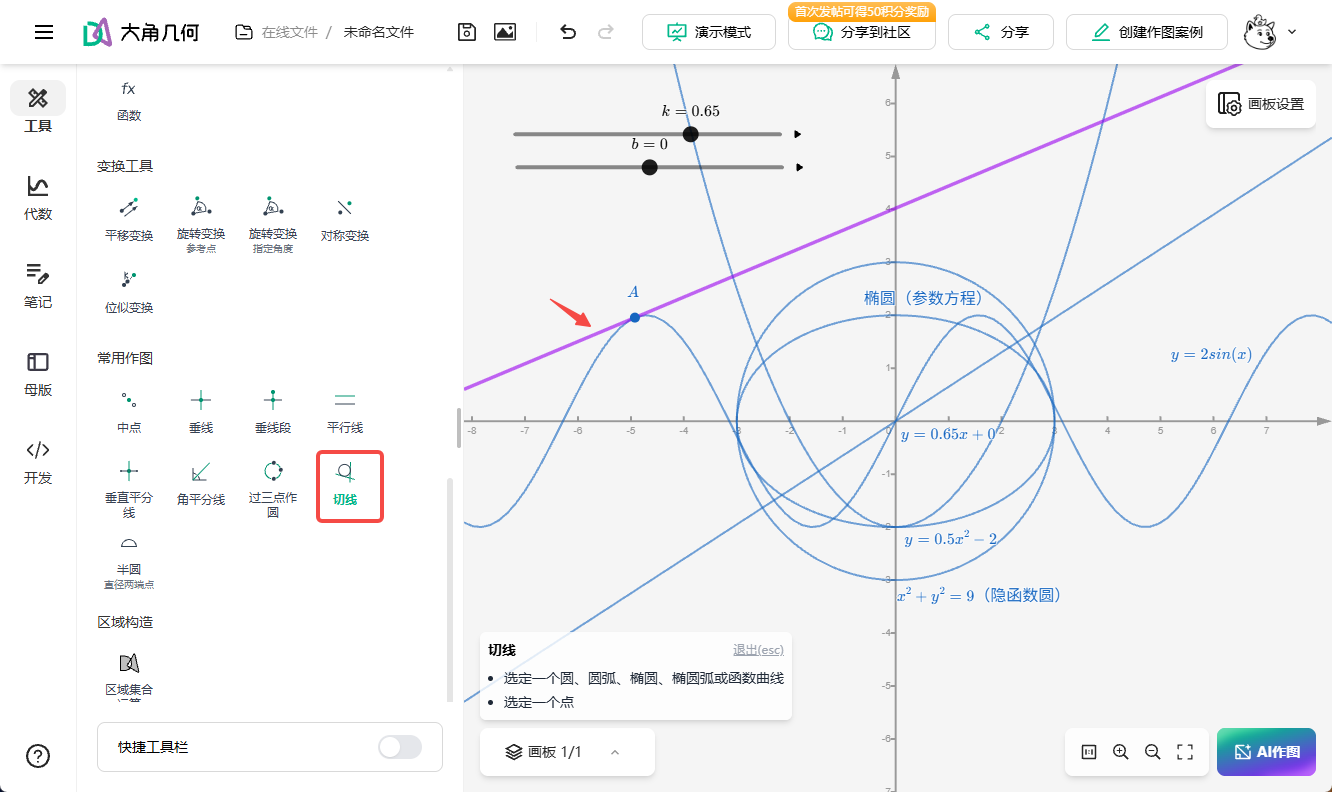
Expanded tangent tools for function graphing and calculus lessons
In calculus and mathematical analysis, drawing tangents is one of the most common teaching and exploration tasks. The latest Dino-GSP release expands tangent support across more function and curve types:
- Conic tangents: tangent construction for parabolas, ellipses, hyperbolas, and other conic curves
- Explicit function tangents: tangents at arbitrary points on standard function graphs
- Parametric curve tangents: tangent drawing for curves defined by parametric equations
This makes Dino-GSP more capable in function graphing and calculus scenarios, from explaining the geometric meaning of derivatives to analyzing curve behavior.
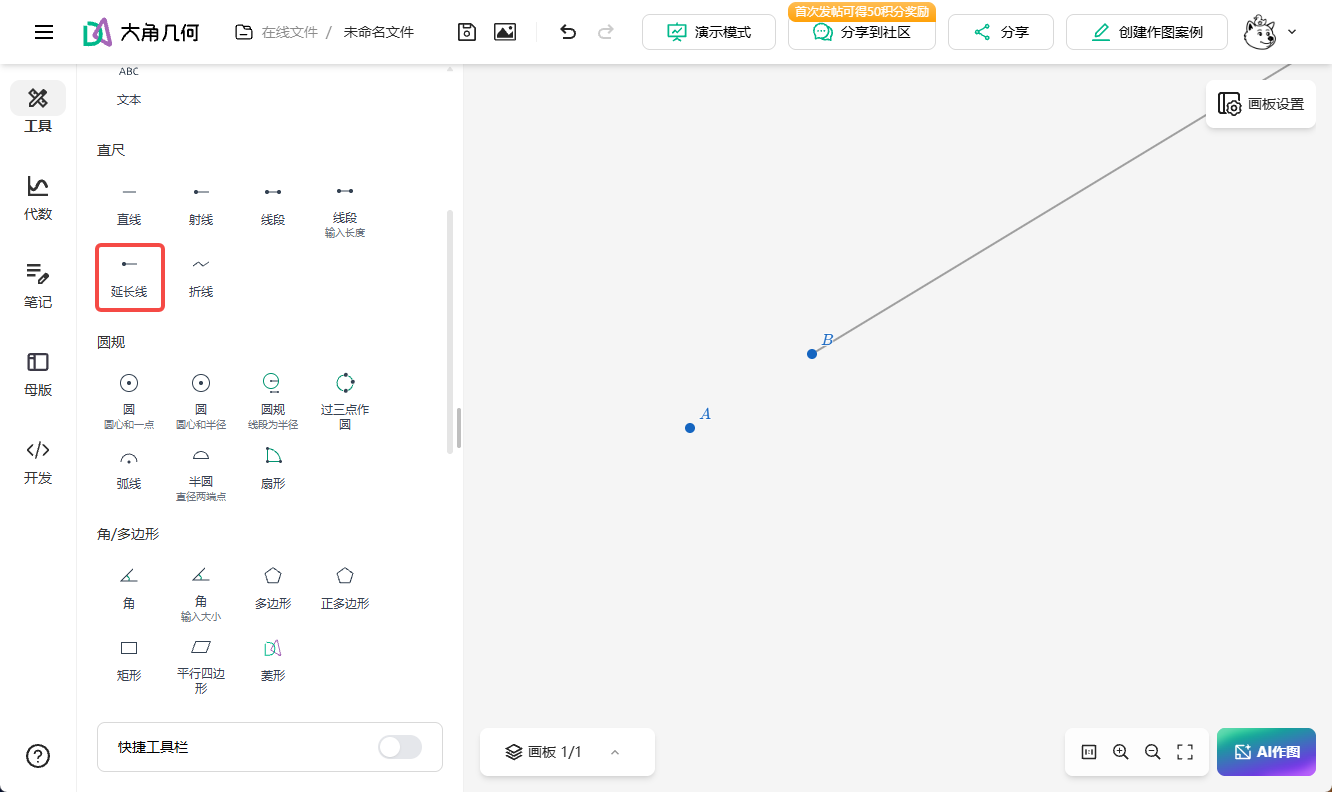
More complete construction tools: extension lines and sectors
Geometry construction is central to Dino-GSP. Version 2.5.0 adds two basic but important drawing tools that make classroom geometry and proof diagrams easier to build.
Extension line tool
The new extension line tool fills a common gap in segment-based construction. Users can now:
- Extend a segment by a specified ratio or length
- Build the extended parts of rays and lines
- Show extension-line reasoning in geometry proofs
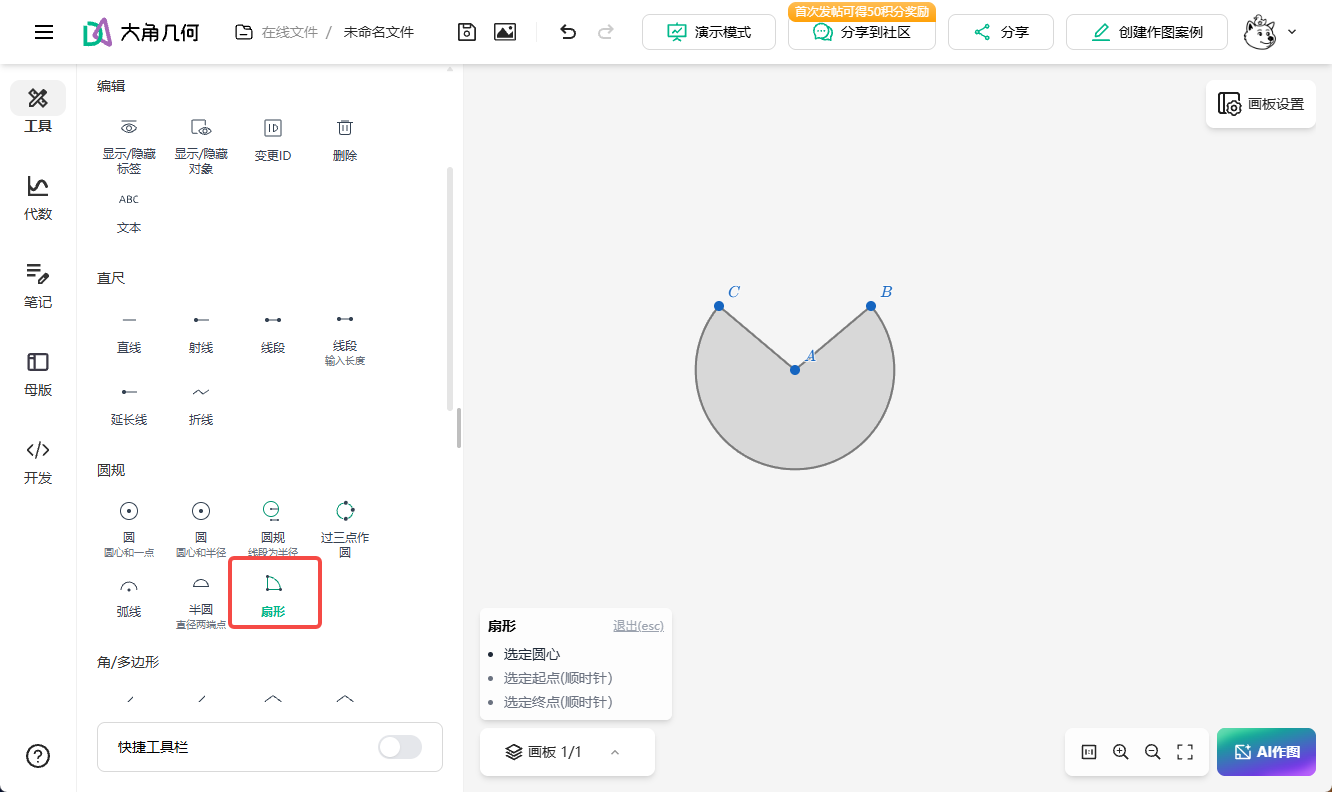
Sector tool
The new sector tool improves construction around circles and angles. It is useful for:
- Visualizing angles in class
- Demonstrating sector area calculations
- Building figures related to pi, arcs, and arc length
This release also adds a reselect point tool in the context menu, making point correction faster during geometry construction.
Playback controls for dynamic math demonstrations
Dino-GSP now includes the first version of a play button feature, giving objects basic playback and display-control behavior. This is especially useful for:
- Building dynamic math demonstration materials
- Showing continuous geometric transformations
- Creating interactive teaching content
With playback controls, teachers can make function changes and geometric motion easier for students to observe and understand.

AI drawing keeps improving with newer model support
Dino-GSP continues to invest in AI-assisted geometry drawing. Version 2.5.0 adds support for a new group of large language models and improves model ordering and recommendation behavior. AI-related improvements include:
- AI-created closed regions: generate complex closed geometric regions from natural language descriptions
- AI conversation sharing: share AI drawing conversations for teaching and collaboration
- Prompt optimization: better interpretation of user intent during geometry creation
When users share work to the community, Dino-GSP now automatically attaches an AI drawing tag so others can understand how the work was created.
Text and label upgrades: more professional LaTeX support
For users who add formulas, labels, and annotations to geometry diagrams, this release includes several text improvements:
- Dual-mode text: switch between plain text and LaTeX modes
- Custom text styling: adjust text styles for different presentation needs
- Default function labels: function graphs can show labels automatically for better readability
- Formula rendering improvements:
$...$syntax now renders formulas more reliably
These changes make Dino-GSP more useful for academic figures, classroom slides, and teaching handouts that need precise mathematical notation.
Export and sharing improvements
Version 2.5.0 also improves export and sharing workflows so geometry work is easier to distribute and embed:
- Embed format choices: export either links or iframe snippets for different web embedding needs
- SVG export fixes: resolves export errors from previous versions
- LaTeX export cleanup: removes extra line breaks and generates cleaner LaTeX output
Editor refinements and bug fixes
Beyond new features, this release continues to improve editor stability and daily usability:
- Prompts users to restore local archives when entering the new editor, reducing the risk of lost work
- Converts full-width commas to half-width commas automatically to reduce input errors
- Fixes Chinese input issues in the properties panel
- Fixes interaction issues in the floating toolbar
- Fixes function preview failures and other practical issues
A stronger math visualization tool for teaching and creation
Dino-GSP 2.5.0 reflects a continued focus on both professional capability and ease of use.
From the Windows desktop app to expanded function graphing, from cloud file management to stronger AI drawing, each improvement targets a real workflow need.
If you are looking for a GeoGebra alternative, a professional math drawing tool, or a dynamic geometry tool for learning and teaching, Dino-GSP 2.5.0 is worth trying.
Download the Windows app and try the new math visualization workflow.